



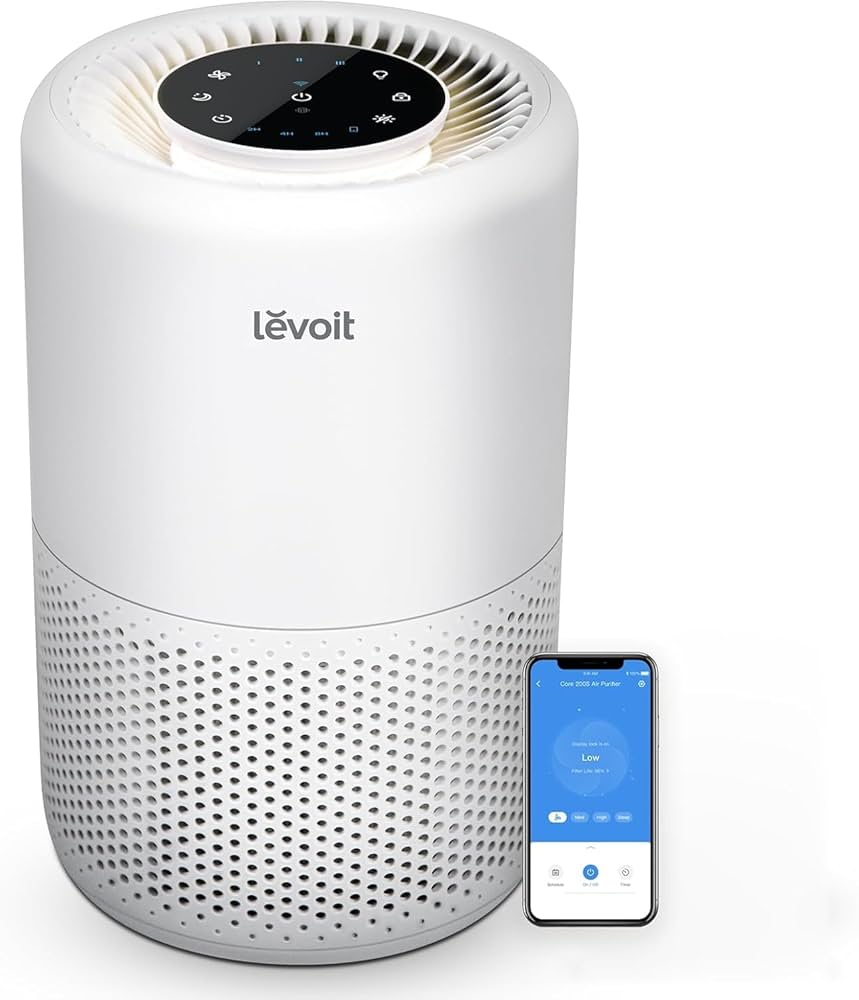
Smart home technology has changed the way people manage their daily routines, and the Levoit app plays an important role for users who own smart Levoit devices. The app allows users to connect, monitor, and control compatible Levoit air purifiers, humidifiers, and other smart appliances directly from a smartphone. Instead of manually adjusting settings on the device, users can manage their home environment with a few taps.
The Levoit app is commonly associated with the VeSync platform, which works as the central control system for many Levoit smart products. It provides features such as remote control, scheduling, automation, air quality monitoring, and smart assistant compatibility. Whether someone wants cleaner air, better humidity control, or a more convenient smart home experience, the app provides useful tools for everyday living.
What Is the Levoit App?
The Levoit app is a smart device management application designed for controlling compatible Levoit products. Although many users search for it as the “Levoit app,” the platform is mainly provided through the VeSync app. It connects Levoit smart devices to a smartphone, allowing users to adjust settings without needing to operate the device manually.
The application works with selected Levoit air purifiers, humidifiers, and other smart appliances that include Wi-Fi connectivity. After connecting a device, users can view information, change settings, create schedules, and manage their products from almost anywhere. This makes Levoit devices more flexible and easier to use compared with traditional appliances.
The app is designed for both beginners and experienced smart home users. Its simple interface allows users to quickly access important controls while also offering advanced features for people who want greater automation and customization.
Main Features of the Levoit App
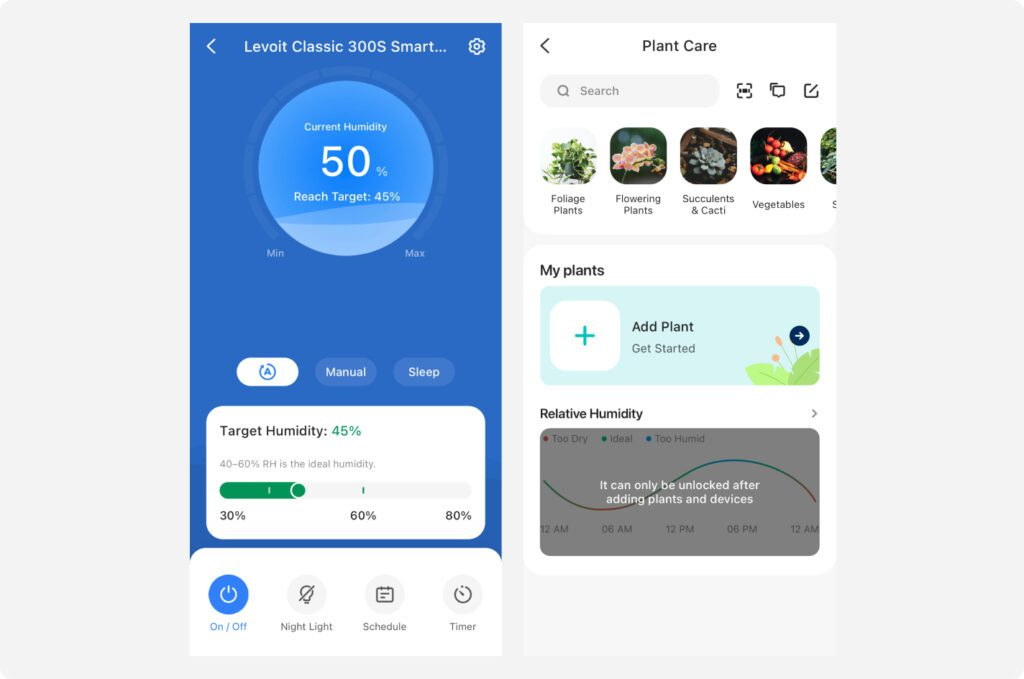
One of the most useful features of the Levoit app is remote control. Users can turn their smart air purifier or humidifier on or off from their phone, even when they are away from home. They can also adjust fan speeds, operating modes, display settings, and other available functions without physically touching the device.
The app also provides scheduling options that allow users to create automatic routines. For example, an air purifier can be programmed to run during specific hours of the day or operate at night using a quieter setting. These schedules help users maintain a comfortable environment without constantly changing settings manually.
Another important feature is real-time monitoring. Compatible Levoit devices can provide information about indoor air quality, humidity levels, and filter condition. This allows users to understand their home environment better and make adjustments when needed.
How to Set Up the Levoit App
Setting up the Levoit app is a simple process that usually takes only a few minutes. Users first need to download the VeSync application on their smartphone and create an account. After signing in, they can add their Levoit device by selecting the appropriate product category and following the connection instructions.
Most smart Levoit devices require a stable Wi-Fi connection, especially a 2.4 GHz network, for proper setup. During the pairing process, the device is connected to the home network through the app. Once the connection is complete, the product becomes available through the smartphone dashboard.
If the setup process does not work immediately, checking the Wi-Fi connection, restarting the device, and ensuring the app has the latest update can often solve common connection problems. A stable internet connection is important for reliable remote control features.
Levoit Devices Compatible With the App
The Levoit app supports a variety of smart home products, especially smart air purifiers and humidifiers. Many popular Levoit air purifier models with Wi-Fi capability can connect to the app, allowing users to control purification settings and monitor indoor air conditions.
Smart humidifiers are another major category supported by the app. Users can adjust mist levels, manage humidity settings, and create schedules to maintain a comfortable atmosphere. This can be especially helpful during dry seasons when indoor humidity levels become uncomfortable.
It is important to remember that not every Levoit product connects to the app. Traditional models without smart features usually require manual operation. Before purchasing a Levoit device, users should check whether the product supports app connectivity.
Monitoring Indoor Air Quality With Levoit App
One of the biggest benefits of using the Levoit app with a smart air purifier is the ability to monitor indoor air quality. Many compatible devices include sensors that detect changes in air conditions and provide information through the app.
Indoor air can be affected by dust, smoke, pet dander, cooking, outdoor pollution, and seasonal allergens. The app helps users understand when air quality changes and allows them to respond quickly by adjusting purifier settings.
Some smart Levoit air purifiers also include automatic modes that adjust fan speed based on detected air quality. This feature helps maintain cleaner air without requiring constant manual adjustments and can improve overall convenience.
Smart Scheduling and Automation Options
Automation makes the Levoit app more useful for daily life. Instead of manually controlling devices throughout the day, users can create routines that match their personal schedules. A purifier can run before bedtime, reduce noise during sleeping hours, and increase power when needed.
The app can also help users save energy by allowing devices to operate only during specific times. For example, someone may schedule a purifier to run when they are home and reduce operation when rooms are empty.
For households with multiple smart devices, managing everything through one platform creates a smoother experience. Users can organize their connected products and control them from a single application instead of using different apps for separate devices.
Common Levoit App Issues and Fixes
Like many smart home applications, the Levoit app may occasionally experience connection or performance issues. The most common problems involve Wi-Fi connection failures, device pairing difficulties, or outdated software versions.
If a device cannot connect, users should first check that their smartphone and appliance are connected to the correct Wi-Fi network. Restarting the router, resetting the device, and reconnecting through the app can often resolve these problems.
Keeping the app updated is also important because updates may improve performance, fix errors, and add support for newer devices. Regular maintenance helps ensure a smoother experience and better reliability over time.
Privacy and User Experience
The Levoit app requires users to create an account to manage connected devices. Account security is important, so users should choose strong passwords and keep their login information protected.
The application is designed with a user-friendly layout that makes controlling devices simple. Important functions such as power controls, schedules, device status, and settings are usually easy to find, even for users who are new to smart home technology.
A major advantage of the app is convenience. Instead of managing several appliances separately, users can control compatible Levoit products through one central platform. This creates a more organized and connected smart home experience.
Is the Levoit App Worth Using?
For owners of compatible Levoit smart devices, the app provides many benefits that improve everyday convenience. Remote access, automation, monitoring tools, and smart controls make devices easier to manage and more effective.
The app is especially valuable for people who want better control over indoor air quality. Instead of simply turning an air purifier on and off, users can monitor conditions, adjust performance, and create routines that fit their lifestyle.
As smart home technology continues to grow, apps like Levoit’s provide a bridge between traditional appliances and modern connected living. For users with compatible devices, the app can make air purification and humidity management simpler, smarter, and more convenient.
Conclusion
The Levoit app is a useful tool for managing compatible Levoit smart devices and improving the overall smart home experience. Through features such as remote control, scheduling, automation, and air quality monitoring, it gives users greater control over their indoor environment.
Whether the goal is cleaner air, improved humidity, or easier appliance management, the app provides practical solutions for everyday needs. With proper setup, regular updates, and a reliable Wi-Fi connection, the Levoit app can help users get the maximum value from their smart home devices.
