



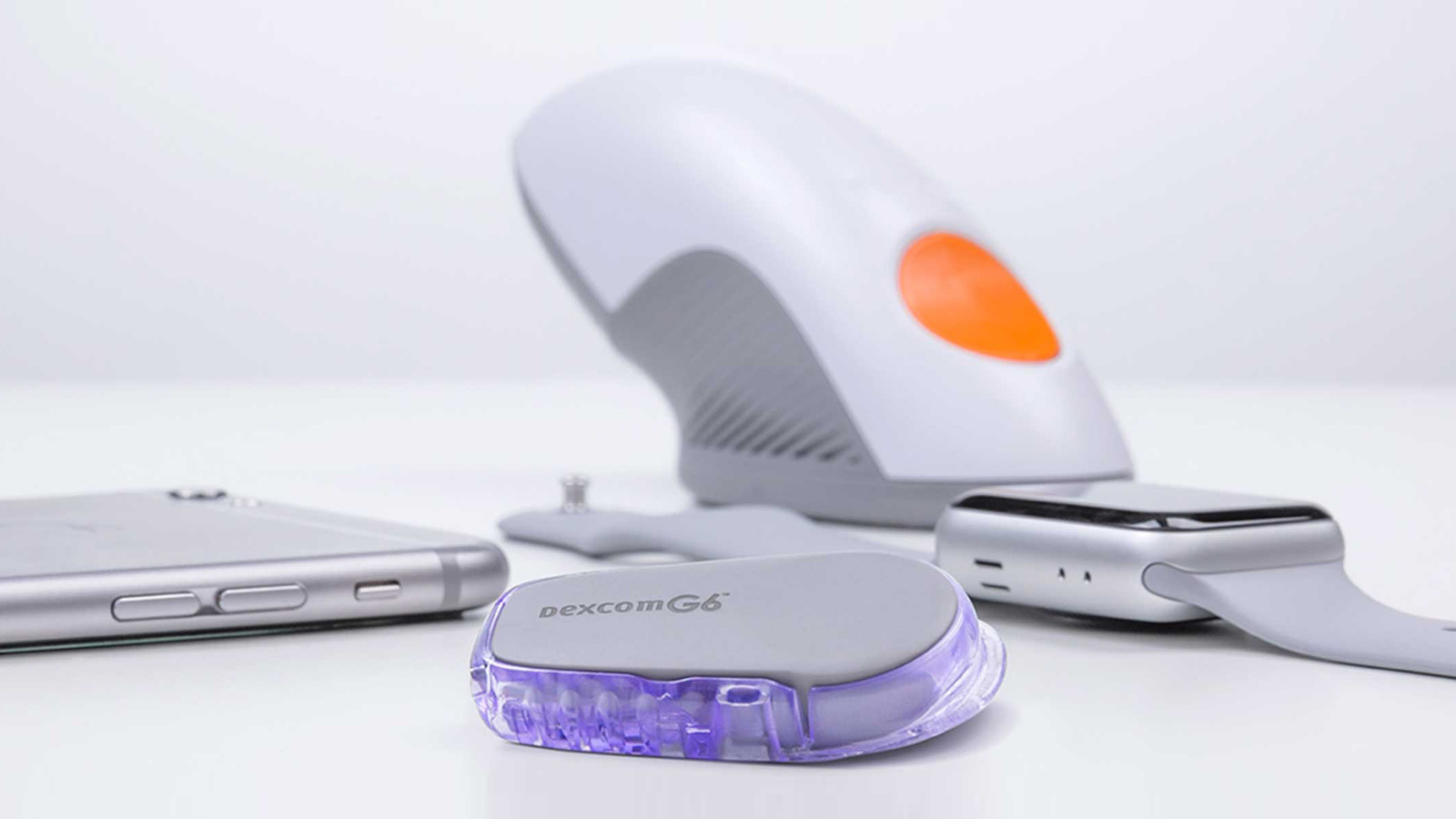
Managing diabetes has become more convenient with advanced continuous glucose monitoring technology, and the Dexcom G6 app is one of the most popular tools available for real-time glucose tracking. Designed to work with the Dexcom G6 continuous glucose monitoring system, the app allows users to view glucose readings directly on their smartphone without needing frequent manual testing throughout the day.
The Dexcom G6 app helps people with diabetes understand their glucose patterns by providing current readings, trend information, and customizable alerts. It is widely used by individuals who need regular glucose monitoring, including many people with type 1 diabetes and some people with type 2 diabetes. By offering continuous insights into glucose changes, the app supports better awareness and more informed diabetes management decisions.
What Is the Dexcom G6 App?
The Dexcom G6 app is a mobile application that connects with the Dexcom G6 sensor and transmitter to display continuous glucose readings. The sensor is placed under the skin and measures glucose levels in the body’s interstitial fluid. The transmitter then sends this information wirelessly to the app, where users can view their glucose data in real time.
Unlike traditional glucose meters that require a blood sample from a fingerstick, the Dexcom G6 system continuously monitors glucose levels throughout the day and night. This allows users to see not only their current glucose level but also the direction their glucose is moving. The app displays trend arrows that show whether glucose is rising, falling, or staying stable.
The main purpose of the Dexcom G6 app is to make glucose monitoring easier and more informative. Instead of seeing only individual glucose readings, users can understand overall patterns and how different activities, foods, exercise, and daily routines affect their glucose levels.
How Does the Dexcom G6 App Work?
The Dexcom G6 app works together with three main components: the Dexcom G6 sensor, transmitter, and compatible display device. The sensor collects glucose information continuously, while the transmitter sends the data to the smartphone app through wireless technology.
After the sensor is inserted and activated, the Dexcom G6 app begins receiving glucose information after the required startup period. Users can then view their glucose readings directly on their phone screen. The app updates automatically and provides ongoing information about glucose levels throughout the sensor session.
The system is designed to reduce the need for frequent fingerstick testing in many situations. However, users should always follow medical advice and use additional glucose testing methods when recommended by their healthcare provider.
Main Features of the Dexcom G6 App
One of the most important features of the Dexcom G6 app is real-time glucose monitoring. Users can quickly check their current glucose level and see whether it is increasing, decreasing, or remaining steady. This information can help users recognize changes before they become major concerns.
The app also provides customizable glucose alerts. Users can set notifications for high glucose levels, low glucose levels, and rapid glucose changes. These alerts help users respond more quickly to possible glucose problems and provide additional awareness during daily activities.
Another useful feature is glucose data sharing. The Dexcom G6 app allows users to share their glucose information with selected family members, caregivers, or healthcare providers. This can be especially helpful for parents monitoring children, caregivers supporting older adults, or individuals who want additional support with diabetes management.
Setting Up the Dexcom G6 App
Setting up the Dexcom G6 app is designed to be a straightforward process. Users first download the application on a compatible smartphone and create or log into their Dexcom account. The app then provides step-by-step instructions for connecting the sensor and transmitter.
During setup, users enter the sensor code included with their Dexcom G6 sensor. This helps the system identify the sensor and begin the monitoring process. The transmitter is then paired with the smartphone through the app, allowing glucose data to be transferred automatically.
For the best experience, users should ensure that Bluetooth is enabled, notifications are allowed, and the app has the necessary permissions. Keeping the application updated can also help maintain reliable performance and compatibility with newer smartphone operating systems.
Benefits of Using the Dexcom G6 App
The Dexcom G6 app offers several benefits for people managing diabetes. One major advantage is that it provides a complete picture of glucose changes throughout the day. Instead of checking glucose only at specific moments, users can observe how their levels respond over time.
The app can help users identify patterns related to meals, physical activity, sleep, stress, and medication. For example, someone may notice that certain foods cause a delayed glucose increase or that exercise affects their glucose levels differently depending on timing and intensity.
Another benefit is convenience. Having glucose information available on a smartphone makes monitoring easier during work, travel, exercise, and everyday activities. Users do not need to carry a separate glucose meter for every routine check, making diabetes management more flexible.
Understanding Dexcom G6 Alerts and Notifications
Alerts are an important part of the Dexcom G6 app because they provide timely warnings about glucose changes. Users can adjust many alert settings according to their personal needs and healthcare recommendations.
Low glucose alerts notify users when their glucose levels drop below a selected range. High glucose alerts provide warnings when glucose rises above the chosen limit. The system also includes urgent low glucose notifications designed to warn users when their glucose may reach a dangerously low level.
Although alerts provide valuable support, they should not replace proper diabetes care. Users should continue following their healthcare provider’s recommendations regarding medication, insulin use, diet, and lifestyle choices.
Dexcom G6 App Data and Glucose Reports
The Dexcom G6 app collects valuable glucose information that can help users better understand their diabetes management. Over time, the app builds a record of glucose patterns that can be reviewed to identify trends and areas for improvement.
Glucose reports can provide information about time spent within the target glucose range, glucose fluctuations, and changes throughout different times of the day. These insights can help users and healthcare professionals make better decisions about diabetes care.
Sharing glucose data with a healthcare provider can improve medical appointments because doctors can review actual glucose patterns rather than relying only on patient memory. This can lead to more personalized discussions about treatment goals and daily management strategies.
Dexcom G6 App Compatibility and Device Support
The Dexcom G6 app is available for many smartphones and devices, but compatibility depends on the phone model, operating system version, and regional availability. Users should check whether their device meets the necessary requirements before installing the application.
Smartphone compatibility is important because the app relies on wireless communication between the phone and the Dexcom G6 transmitter. Problems with outdated software, unsupported devices, or incorrect settings may affect performance.
Users who prefer not to use a smartphone may have the option to use a dedicated receiver, depending on availability in their region. The best choice depends on personal preference, lifestyle, and medical needs.
Common Dexcom G6 App Issues and Solutions
Like many digital health applications, the Dexcom G6 app may occasionally experience technical issues. Common problems include lost connections, delayed readings, notification failures, or difficulty pairing the transmitter with the phone.
Many connection issues can be improved by checking Bluetooth settings, restarting the smartphone, updating the app, or confirming that the transmitter is properly connected. Users should also make sure their phone is within the recommended range of the transmitter.
If problems continue, contacting Dexcom support or speaking with a healthcare professional can help resolve technical concerns. Reliable glucose monitoring is an important part of diabetes management, so ongoing issues should be addressed quickly.
Is the Dexcom G6 App Reliable for Diabetes Management?
The Dexcom G6 app is designed to support continuous glucose monitoring and provide users with useful information about their glucose levels. It has become an important tool for many people who want greater awareness and control over their diabetes management.
However, users should understand that continuous glucose monitoring technology is not a replacement for medical advice. Glucose readings, symptoms, medications, and lifestyle factors should all be considered when making health decisions.
Using the Dexcom G6 app correctly, following device instructions, and maintaining regular communication with healthcare professionals can help users get the most benefit from the technology.
Conclusion
The Dexcom G6 app provides a convenient and effective way to monitor glucose levels continuously. With features such as real-time readings, trend arrows, customizable alerts, and data-sharing options, it helps users gain deeper insight into their glucose patterns.
For many people managing diabetes, the app offers greater flexibility and awareness compared with traditional monitoring methods. When used properly alongside professional medical guidance, the Dexcom G6 app can become a valuable part of a complete diabetes care routine.
