



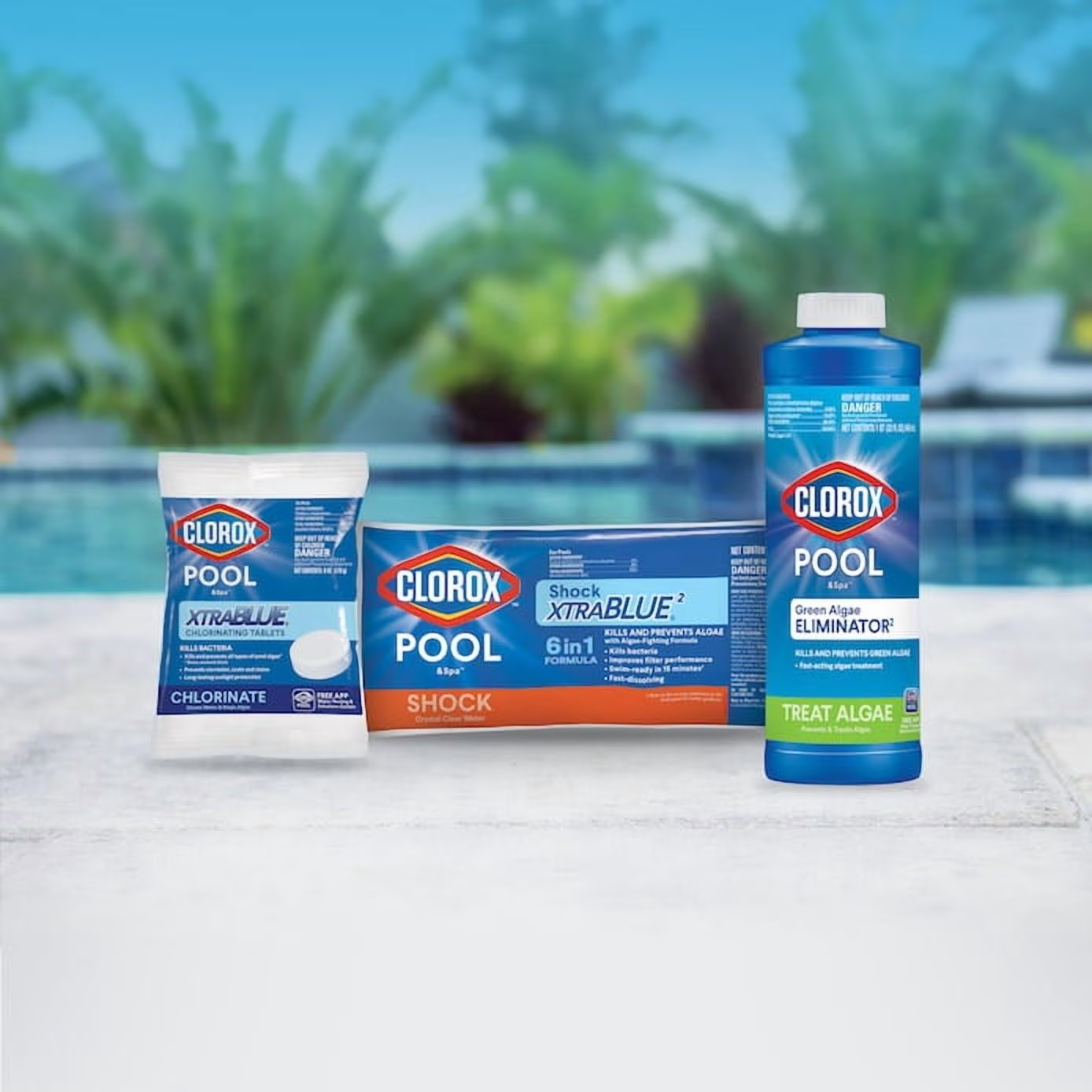
Keeping swimming pool water clean and balanced can be difficult when you are trying to remember chlorine levels, pH, alkalinity, stabilizer and other water chemistry details. The Clorox Pool App is designed to make that process easier for homeowners who maintain their own pools. The free app works with Clorox Pool&Spa test strips and provides water analysis, recommendations and troubleshooting information from a smartphone.
clorox pool app is particularly useful for people who want more guidance than a traditional test-strip color chart provides. Clorox says its proprietary scan-to-test technology can analyze pool water results, while the app can also provide product and dosage recommendations based on entered results. It can track the user’s 10 most recent water analyses and connect users with online retailers for recommended pool products.
What Is the Clorox Pool App?
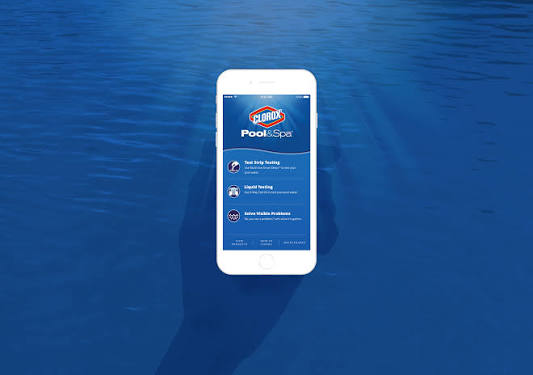
The Clorox Pool App is a free mobile tool from Clorox Pool&Spa designed to help do-it-yourself pool owners test and manage swimming pool water. Rather than simply showing a color chart, the app allows users to enter test results or scan compatible test strips and receive an analysis of the water condition. Clorox currently promotes the application for both Apple App Store and Google Play users.
The main idea behind the app is to make routine pool maintenance easier to understand. Pool chemistry can involve several measurements, and an incorrect reading can lead to adding too much or too little of a chemical. By connecting compatible test strips with an app-based analysis, Clorox aims to give pool owners a more convenient way to understand their results before deciding how to adjust the water.
How Does the Clorox Pool App Work?
Using the Clorox Pool App generally begins with testing the pool water using an appropriate test strip. Clorox’s Multi-Use Smart Strips are designed to test several important water measurements, including total hardness, total chlorine, free chlorine, pH, total alkalinity and stabilizer. After the strip is used, the app’s scan-to-test feature can analyze the strip.
Clorox also provides a manual testing option. Pool owners can compare a test strip with the color chart and enter the corresponding results into the application. This is useful when someone does not want to use the scanning function or when they are using a compatible testing method that requires visual interpretation. Clorox recommends following the test-strip instructions carefully because timing, lighting and handling can affect the reading.
What Can the Clorox Pool App Test?
The exact measurements available depend on the test strips being used. Clorox’s six-way Multi-Use Smart Strips measure total hardness, total chlorine, free chlorine, pH, total alkalinity and stabilizer. These measurements provide a useful overview of common pool water chemistry and can help identify areas that may need adjustment.
Clorox also offers salt pool test strips designed to measure salt levels along with relevant balancing and salt-generated chlorine information. This is important because saltwater pools still use chlorine for sanitation; the difference is that a salt chlorine generator produces chlorine from salt rather than requiring the owner to add traditional chlorine products in the same way. The correct test strip should therefore match the type of pool being maintained.
How Accurate Is the Clorox Pool App?
The Clorox Pool App uses proprietary scan-to-test technology, and Clorox describes it as providing expert water test analysis. The application also allows users to adjust and confirm the strip reading, which gives the user an opportunity to correct or refine what the camera initially identifies. Clorox says this feature is intended to provide more precise results.
However, a smartphone application cannot remove every source of testing error. The accuracy of the overall process still depends on using the correct test strip, following the manufacturer’s instructions, taking the reading at the correct time and handling the strip properly. Clorox recommends dipping the strip at elbow depth, removing it promptly, shaking it once to remove excess water and reading the results within the specified time.
How Does the App Help Balance Pool Water?
After water results are entered or scanned, the Clorox Pool App can provide recommendations based on the measured values. Clorox says the application provides personalized product and dosage recommendations, helping users determine what type and amount of pool chemical may be appropriate for their results.
This can be helpful for new pool owners who understand that their water is unbalanced but are unsure what to do next. Instead of simply saying that the pH or chlorine is outside the desired range, the app is designed to connect the test result with a suggested corrective action. Pool owners should still read product labels carefully and follow all safety directions before adding chemicals.
Can the Clorox Pool App Track Pool Water History?
One useful feature is the app’s ability to track and compare the user’s 10 most recent water analyses. This gives pool owners a simple record of recent testing rather than requiring them to remember previous readings or write every result down manually.
Keeping a history can be useful because pool chemistry changes over time. Weather, rainfall, swimmer load, evaporation, chemical additions and other conditions can influence water balance. Looking at recent results may help an owner notice recurring problems, although a longer-term maintenance record may require additional documentation if the user wants to monitor seasonal trends in greater detail.
Can the Clorox Pool App Help With Common Pool Problems?
The app is designed to help troubleshoot common pool problems in addition to interpreting water test results. Clorox specifically promotes the application as a tool for solving common pool issues and providing personalized recommendations. This makes it more than a basic digital color chart.
Still, app recommendations should be treated as part of responsible pool maintenance rather than a substitute for professional judgment in unusual situations. A pool that remains cloudy, develops persistent algae, has an unusual chemical odor or shows repeated abnormal readings may have an underlying circulation, filtration or water chemistry problem. In those circumstances, a professional pool technician or qualified water-testing service can provide additional assistance.
How Should You Use Clorox Pool Test Strips?
Proper test-strip handling is important because the app can only analyze the information produced by the test. Clorox recommends dipping the strip into pool water at elbow depth and removing it immediately. The strip should then be shaken once to remove excess water before being held level for the appropriate reading.
Test strips should not be wiped or dried after being dipped. Clorox also recommends reading results in natural daylight and keeping wet fingers out of the test-strip container. Test strips are not reusable, and they should be stored in a cool, dry location. These simple practices can help reduce avoidable testing errors and make the app’s analysis more useful.
Is the Clorox Pool App Free?
Clorox currently describes its Pool App as a free app for pool owners. The application itself is intended to provide water analysis, troubleshooting support and personalized product recommendations without requiring a separate app subscription.
However, using the application does not mean pool maintenance is completely free. Users still need suitable test strips and, when water chemistry requires adjustment, appropriate pool chemicals. The app can also connect users with retailers such as Walmart, Amazon and Lowe’s for purchasing recommended products. The retailer and product costs are separate from the free application itself.
Can You Use the Clorox Pool App for a Saltwater Pool?
Saltwater pool owners can use Clorox’s pool-testing ecosystem, provided they use test strips designed for their particular pool. Clorox offers salt pool test strips that measure salt levels and provide information related to balancer and salt-generated chlorine levels. The company’s product information specifically connects these strips with the free Clorox Pool App.
This distinction matters because saltwater pools still require proper water chemistry management. A salt chlorine generator does not eliminate the need to monitor chlorine, pH and other important measurements. Using a test method designed for saltwater systems can give the owner information that is more relevant to the pool’s setup.
Is the Clorox Pool App Worth Using?
The Clorox Pool App can be useful for homeowners who want a straightforward way to interpret pool test-strip results. Its biggest advantage is convenience: instead of relying entirely on visual color matching, compatible Smart Strips can be scanned and analyzed through the application. The ability to enter results manually, receive recommendations and review recent tests adds practical value for routine pool maintenance.
At the same time, the app should be used as a maintenance aid rather than the only source of information about pool safety. Test-strip technique, product instructions and the condition of the pool itself remain important. If results seem inconsistent or a serious water-quality issue continues despite treatment, independent testing or professional advice can be worthwhile.
Conclusion: What Makes the Clorox Pool App Useful?
The Clorox Pool App is a free pool maintenance application designed to help homeowners understand water test results and make routine pool care less complicated. Its scan-to-test technology works with compatible Clorox Pool&Spa Smart Strips, while manual entry allows users to enter visual test results when appropriate. The application can analyze water, provide product and dosage recommendations, troubleshoot common problems and track the user’s 10 most recent analyses.
For pool owners, the most important benefit is convenience. Regular testing is an essential part of maintaining balanced pool water, and an app can make the process easier to follow. However, good results depend on using the right test strips and following testing instructions carefully. The app should complement, rather than replace, sensible pool maintenance practices.
Anyone searching for Clorox Pool App download, Clorox pool test app, Clorox Smart Strips app, pool water testing app or Clorox pool chemical calculator should use the official Clorox Pool&Spa resources and trusted app stores. Avoid unofficial downloads that may not be connected with Clorox. With the correct test strips, careful testing and appropriate chemical handling, the Clorox Pool App can be a practical tool for keeping track of everyday pool water care.
