



The Samsara Driver App is a mobile application designed for professional drivers and fleet operations. It brings many everyday driving and compliance tasks into one place, including Hours of Service tracking, electronic driver vehicle inspection reports, route management, messaging, documents, safety information, and navigation. For drivers who work with a company that uses Samsara fleet management technology, the app can become an important part of the daily driving routine.
samsara driver app is useful because it connects the driver’s mobile device with the wider Samsara fleet management system. Instead of handling paperwork, dispatch communication, inspection records, and driving information through separate processes, drivers can complete many tasks directly from a phone or tablet. The exact features available can vary depending on the company, driver account, location, device, and settings selected by the fleet administrator.
What Is the Samsara Driver App?
The Samsara Driver App is designed for professional drivers who work with Samsara’s fleet management platform. It provides a central location for completing driving-related tasks and communicating with fleet managers or dispatchers. Depending on the company’s setup, the application can include electronic DVIRs, Hours of Service activities, routes, messages, documents, forms, safety information, and other assigned workflows.
The app is available on supported Android and Apple mobile devices. A driver generally needs an account created by their employer or fleet administrator before using it. The company normally provides the necessary account information and Fleet ID. This means the Samsara Driver App is not simply a standalone trucking application that anyone can use with full functionality without being connected to a Samsara fleet.
How Does the Samsara Driver App Work?
After installing the application and signing in, the driver can access the features enabled by the fleet administrator. The home screen provides access to daily tasks, while other areas can provide maps, messages, notifications, documents, and account settings. The interface is designed to keep common driving tasks accessible from a single mobile device.
The app supports workflows throughout the driving day. Drivers can manage Hours of Service, complete vehicle inspections, view assigned routes, communicate with dispatch, submit documents, and access safety information. Some functions can be used without selecting a vehicle, while activities such as certain driving statuses and vehicle inspections require a vehicle to be selected.
Samsara Driver App and Hours of Service
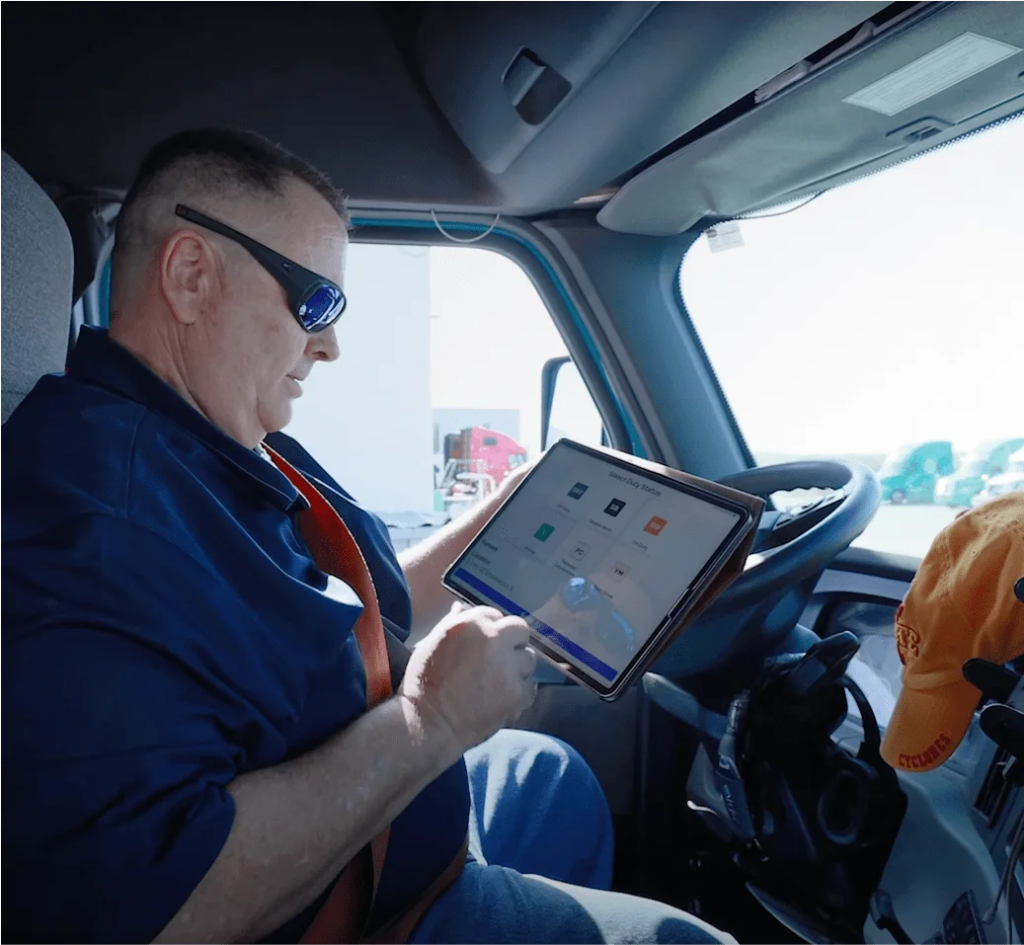
Hours of Service, commonly called HOS, is one of the most important features for many commercial drivers. The Samsara Driver App allows drivers to record, review, and certify their electronic HOS logs. The app can display the amount of available driving and on-duty time and provide information about different limits that may apply to the driver’s current situation.
For drivers operating under applicable United States HOS rules, the application can display several important clocks, including break, drive, shift, and cycle information. These clocks are intended to make it easier for drivers to understand their available time. However, drivers remain responsible for following applicable regulations and ensuring that their duty-status information is accurate.
How Does the Samsara Driver App Handle DVIRs?
The Samsara Driver App supports electronic Driver Vehicle Inspection Reports, commonly known as DVIRs. Drivers can complete pre-trip and post-trip inspections directly from their mobile device. During an inspection, they can record defects, add information about problems, and use available features such as photographs to document vehicle conditions.
One useful feature is the ability to complete certain inspection workflows when the device is offline. This can be important for drivers who operate in rural areas, underground locations, or other places where cellular service is unreliable. Information completed while offline can be synchronized when the device reconnects, reducing the need to wait for an internet connection before completing an inspection.
Navigation and Route Management in Samsara
Route management allows dispatchers to assign work and stops to drivers through the Samsara system. Drivers can then view their assigned routes and destinations through the Driver App. This can help connect dispatch information with the driver’s daily workflow and reduce the need to manage route instructions through separate systems.
Samsara also provides commercial navigation features designed for professional vehicles. Depending on the configuration, navigation can consider information such as vehicle dimensions, weight, and payload when planning a route. This can help reduce the possibility of directing a commercial vehicle toward roads with restrictions that may not be appropriate for that vehicle. Drivers should always follow road signs, traffic regulations, and actual road conditions instead of relying entirely on navigation software.
Messaging, Documents, and Driver Tasks
Communication is an important part of fleet operations, and the Samsara Driver App provides messaging features that can connect drivers with fleet administrators or dispatchers. Work-related communication can therefore remain connected to the same system used for routes and other fleet activities. This can make it easier to receive instructions while working on assigned trips.
The app can also provide access to documents, forms, notifications, and assigned tasks. The exact features depend on the company’s configuration. One fleet may use the app mainly for HOS and inspections, while another may use it for a much wider range of driver workflows. This flexibility allows companies to adapt the app to their specific operations.
Safety Features in the Samsara Driver App
Safety is another major part of the Samsara platform. Depending on the company’s settings, drivers may be able to see safety scores, driving events, performance information, coaching activities, and other safety-related details. These features can help drivers understand how their driving behavior is being evaluated.
The purpose of these tools can go beyond simply monitoring drivers. Safety information can be used by companies to identify risky patterns and provide coaching. Some fleets may also use recognition systems, badges, performance scores, or other engagement features to encourage safer driving habits. The exact experience depends on how the employer has configured its Samsara system.
Samsara Driver App for Team Driving
The Samsara Driver App can support team driving when the feature is enabled by the fleet. Multiple drivers can manage their Hours of Service from a shared device through the driving team workflow. The system allows drivers to identify who is currently driving and who is riding as a passenger.
Accurate driver selection is particularly important during team driving because HOS information must be associated with the correct driver. Drivers need to follow their company’s procedures when switching driving responsibility or changing the active driver. Correct use of the feature can make team driving easier to manage while keeping electronic logs properly organized.
Samsara Driver App Settings and Offline Features
The Samsara Driver App includes settings that allow users to manage certain preferences related to display, notifications, language, HOS options, and other application functions. Depending on the version and device, drivers can also access help information and view details about the installed application.
Offline capabilities can be particularly valuable to professional drivers. Cellular service is not available everywhere, and drivers may need to complete certain tasks while disconnected. Some workflows, including supported inspection functions, can operate offline and synchronize later. However, not every feature is necessarily available without an internet connection, so drivers should understand how their company expects them to handle offline situations.
Is the Samsara Driver App Easy to Use?
The Samsara Driver App is designed to bring several common driver tasks together in one place. Having HOS information, inspections, route assignments, communication, documents, and safety information available through one application can reduce the need for paperwork and multiple disconnected tools.
There can still be a learning curve for new users. Drivers who are unfamiliar with electronic logging systems may need time to understand HOS workflows, vehicle inspections, route assignments, messages, and other features. Company-specific settings can also make one driver’s experience different from another’s. Proper training is therefore important, especially when accurate records and regulatory compliance are involved.
Final Thoughts on the Samsara Driver App
The Samsara Driver App is a comprehensive mobile tool for professional drivers who work with Samsara fleet management systems. It brings together important functions such as Hours of Service logging, electronic inspections, route management, navigation, messaging, documents, safety information, and daily driver tasks.
Its biggest advantage is convenience. Drivers can manage many important responsibilities from a single mobile device, while fleet managers can remain connected to vehicles, drivers, and operational information. However, the app should be viewed as a tool that supports compliance and fleet management rather than a replacement for a driver’s responsibilities. Drivers must still follow applicable laws, maintain accurate logs, conduct proper vehicle inspections, follow safe driving practices, and use their employer’s procedures. When configured and used correctly, the Samsara Driver App can make commercial driving tasks more organized, efficient, and manageable.
