



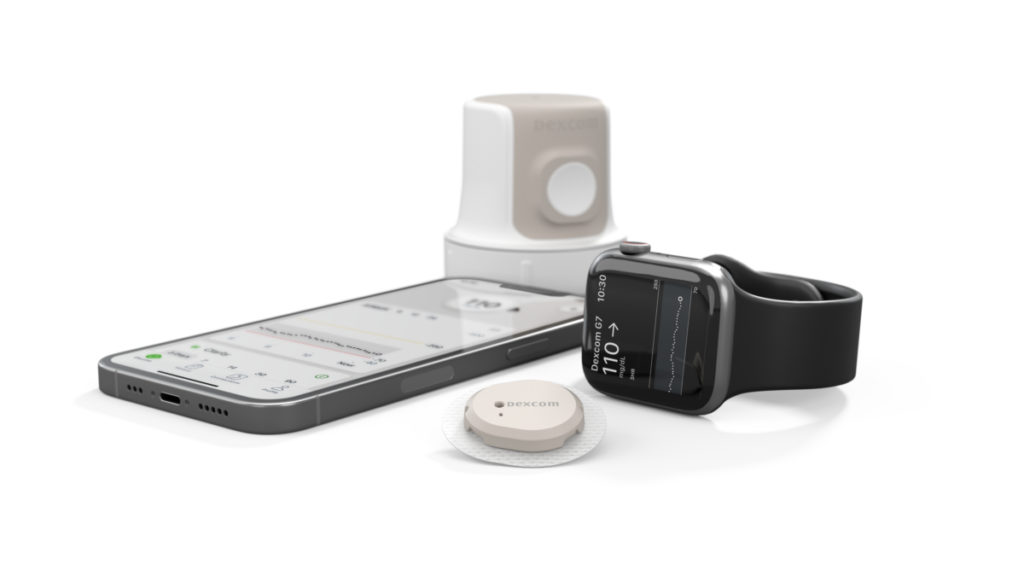
The Dexcom G7 app for Android phone allows people who use the Dexcom G7 continuous glucose monitoring system to view glucose readings directly on a compatible smartphone. The app shows current glucose information, direction trends, and customizable alerts, helping users monitor changes throughout the day without relying on a separate receiver.
The Dexcom g7 app for android phone app has developed into more than a basic glucose display. Current features include glucose sharing, Clarity insights, health and activity data connections, fasting glucose logging, and Quick Glance access. However, because the app is part of a medical device system, phone compatibility, software settings, alerts, and sensor communication are important. Users should always follow the instructions supplied with their Dexcom system and their healthcare professional’s advice.
What Is the Dexcom G7 App for Android?
The Dexcom G7 app is the official smartphone application designed to work with the Dexcom G7 continuous glucose monitoring system. It receives glucose information from the wearable G7 sensor and presents it on a compatible Android phone. The current app is specifically intended for the G7 system and should not be confused with the older Dexcom G6 application.
The G7 app provides glucose readings at regular intervals and displays information about where glucose is heading. Users can view their current reading and trend direction, making it easier to recognize whether glucose is rising, falling, or remaining relatively steady. The app also provides customizable alerts designed to notify users about high or low glucose levels and other important changes.
Which Android Phones Work With Dexcom G7?
The Dexcom G7 Android app does not work with every Android phone. Dexcom maintains a list of compatible smartphones because different manufacturers, models, Android versions, Bluetooth systems, and software configurations can affect the performance of a medical application. Compatible devices include selected models from manufacturers such as Samsung, Google Pixel, Motorola, and Xiaomi.
Compatibility can change as new phones and Android versions become available. A phone that works with one Dexcom system is not necessarily guaranteed to work with another. Before buying a new Android phone or upgrading its operating system, users should check the current Dexcom compatibility information for the exact device model. This is especially important because an incompatible update could affect access to readings or notifications.
How to Download the dexcom g7 app for android phone
The safest way to download the Dexcom G7 app for Android phone is through Google Play. Users should search for the official Dexcom G7 application and verify the developer before installing it. Avoid relying on unofficial APK websites or modified versions because a glucose-monitoring application is part of a medical device system and should come from an authorized source.
Once installed, the app guides users through the setup process. Depending on the user’s circumstances, this can involve signing into a Dexcom account, accepting permissions, configuring alerts, and connecting the smartphone with the G7 sensor. The phone must meet Dexcom’s compatibility requirements for the application to operate as intended.
How Does Dexcom G7 Connect to an Android Phone?
dexcom g7 app for android phone, The G7 sensor measures glucose in the fluid beneath the skin and sends the information wirelessly to a compatible display device. When an Android phone is being used as the display, the Dexcom G7 app receives the sensor data and displays it through the application’s glucose screen and trend graph.
dexcom g7 app for android phone, Bluetooth is an important part of communication between the sensor and smartphone. The phone should remain within the recommended communication range of the sensor, and users should keep Bluetooth enabled. If the connection is interrupted, the application may temporarily stop receiving glucose information until communication is restored. Keeping the phone charged and following Dexcom’s recommended device settings can help maintain reliable operation.
Dexcom G7 Alerts and Glucose Trends
dexcom g7 app for android phone, Alerts are one of the most important functions of the Dexcom G7 Android app. Users can customize alerts for high and low glucose levels and receive notifications when their readings reach particular thresholds. The system can also provide information about changing glucose levels, allowing users to understand more than just their current number.
The trend graph adds additional context by showing how glucose has changed over time. This information can help users and healthcare professionals identify patterns and discuss glucose management. However, users should not automatically change medication or insulin doses based only on an app notification unless those actions are part of a treatment plan provided by their healthcare professional.
Dexcom G7 Share and Follow Features
dexcom g7 app for android phone, The Dexcom G7 app can share glucose information with other people through the Dexcom Follow app. Depending on the user’s setup, glucose data can be shared with approved followers such as family members, caregivers, or other people involved in supporting the user. The current app allows glucose data to be shared with up to 10 followers on compatible devices.
dexcom g7 app for android phone, Sharing requires an internet connection, so the follower’s ability to receive information can depend on connectivity. It is important to remember that remote monitoring is an additional feature and should not be treated as a replacement for personal monitoring or appropriate medical care. Users and caregivers should understand what happens if internet access or sensor communication is temporarily unavailable.
Dexcom G7 Clarity and Health Integrations
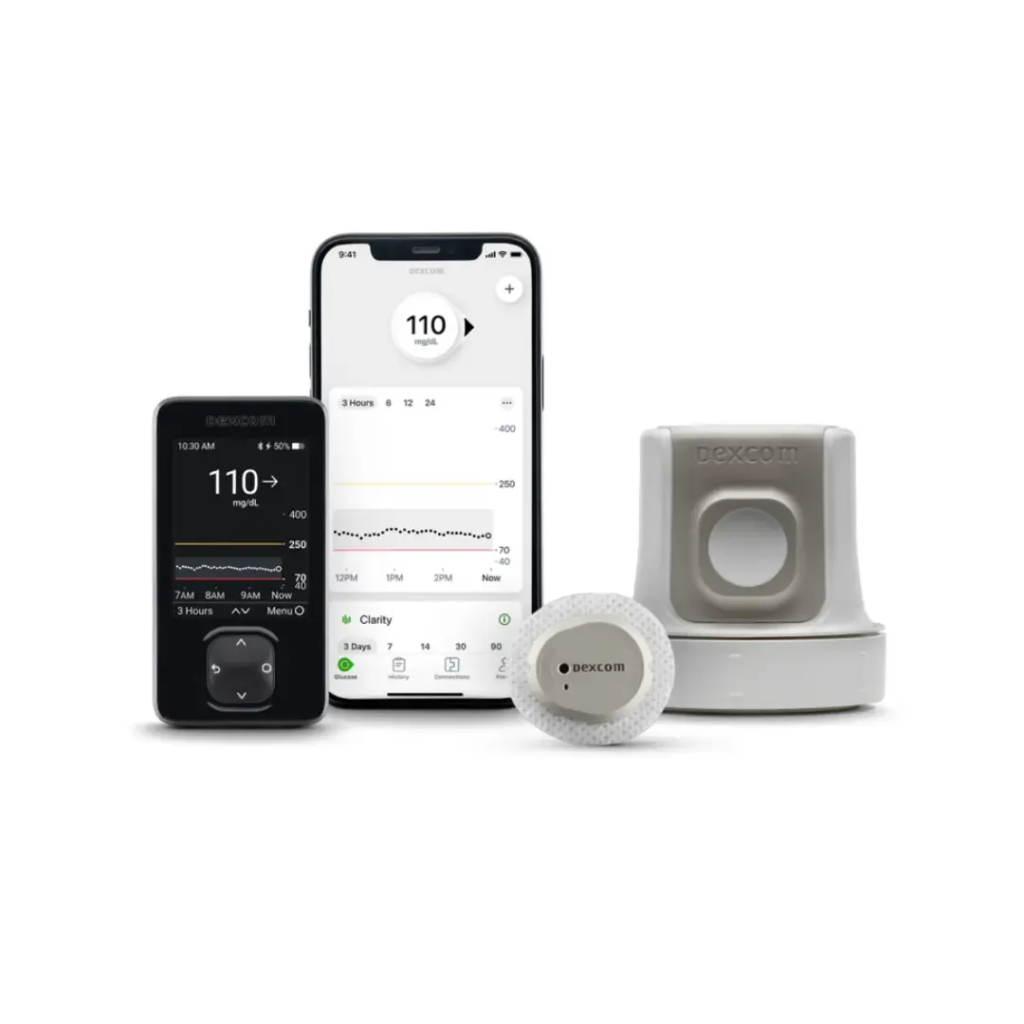
The current G7 Android app includes additional connections that can make glucose information more useful over time. Dexcom Clarity insights are integrated into the application, allowing users to see both current glucose information and retrospective information in the same general experience. This can help users identify longer-term patterns rather than focusing only on individual readings.
dexcom g7 app for android phone, The application can also connect with selected digital health applications and lifestyle devices. Health and activity information from supported connections can appear alongside glucose information on the trend graph. The exact integrations available can vary by country, device, and software version, so users should check what is supported in their particular region.
Android Settings Needed for Dexcom G7
dexcom g7 app for android phone, Correct Android settings are important for reliable glucose monitoring. The app may require permissions and access related to Bluetooth, notifications, location, and Do Not Disturb settings. Android battery-saving features can also restrict applications running in the background, which may interfere with timely notifications or sensor communication.
dexcom g7 app for android phone, Users should also make sure notifications are allowed to appear on the lock screen when required. Keeping the phone’s battery adequately charged is important because a powered-off or severely restricted phone cannot provide normal app alerts. Users should avoid manually changing the phone’s date and time because incorrect time settings can affect the way glucose information appears in the application.
What If Dexcom G7 Loses Signal on Android?
dexcom g7 app for android phone, A signal-loss message means the app is temporarily unable to receive expected information from the sensor. The first things to check are Bluetooth, phone battery level, phone distance from the sensor, and relevant app permissions. Moving the phone closer to the sensor can sometimes restore communication.
dexcom g7 app for android phone, If the problem continues, users should follow the troubleshooting instructions provided with their G7 system rather than repeatedly changing important phone settings at random. Restarting the application or phone may resolve temporary software problems, but persistent signal issues may require further assistance from Dexcom support. If glucose readings or alerts are unavailable, users should follow their healthcare professional’s instructions for alternative glucose monitoring.
Can Dexcom G7 Be Used Without an Android Phone?
Yes, users do not necessarily need an Android smartphone to display G7 readings. Dexcom offers an optional receiver for people whose smartphones are not compatible or for those who prefer a dedicated display. This can be useful for users who do not want their glucose monitoring to depend entirely on a personal smartphone.
dexcom g7 app for android phone, Dexcom G7 can also work with certain other compatible smart devices and connected health systems. However, support varies by device, region, and software version. Android smartwatch compatibility should not be assumed simply because a phone is compatible. Anyone purchasing a new smartwatch or connected device specifically for glucose monitoring should verify its current Dexcom compatibility first.
Dexcom G7 App Updates and Safety
dexcom g7 app for android phone, Keeping the Dexcom G7 Android app updated is particularly important because software updates can include performance improvements, and corrections to issues that could affect application.Dexcom issued an urgent correction involving older G7 app versions after identifying a software issue that could prevent an expected sensor-failure alert. Affected versions were required to be updated, demonstrating why medical-device software should not be left outdated.
dexcom g7 app for android phone, Users should also check compatibility before installing a major Android operating system update. Dexcom evaluates supported operating systems and devices over time, so automatic phone updates can occasionally create compatibility concerns. Before making a major software or device change, it is safer to verify that the new configuration is supported.
Dexcom G7 App Accuracy and Treatment Decisions
The Dexcom G7 provides continuous glucose information, but users should understand that sensor readings and app information should be interpreted according to the system’s instructions. If a reading or alert does not match how a person feels or what they expect, Dexcom advises using a blood glucose meter to make treatment decisions.
This is particularly important when a reading appears unusually high or low, when symptoms do not match the displayed value, or when the sensor is behaving unexpectedly. The app is a valuable monitoring tool, but it should be used as part of an overall diabetes management plan rather than as a substitute for professional medical advice.
Conclusion
The Dexcom G7 app for Android phone provides a convenient way to monitor continuous glucose readings, follow trends, receive customizable alerts, share information with approved followers, and access longer-term glucose insights. Its current features also include Clarity integration, selected health and activity connections, fasting glucose logging, and Quick Glance access.
The most important consideration for Android users is compatibility. Not every Android phone is supported, and compatibility can change as new devices and operating-system versions are released. Users should download the official app, maintain the recommended Android settings, keep the application updated, and check compatibility before changing phones or installing major system updates.
Because the Dexcom G7 is a medical device, reliable alerts and readings are important. Users should follow the official instructions and their healthcare professional’s guidance, particularly when making treatment decisions. If glucose information does not match symptoms or expectations, an appropriate blood glucose meter should be used according to Dexcom’s safety guidance.
