



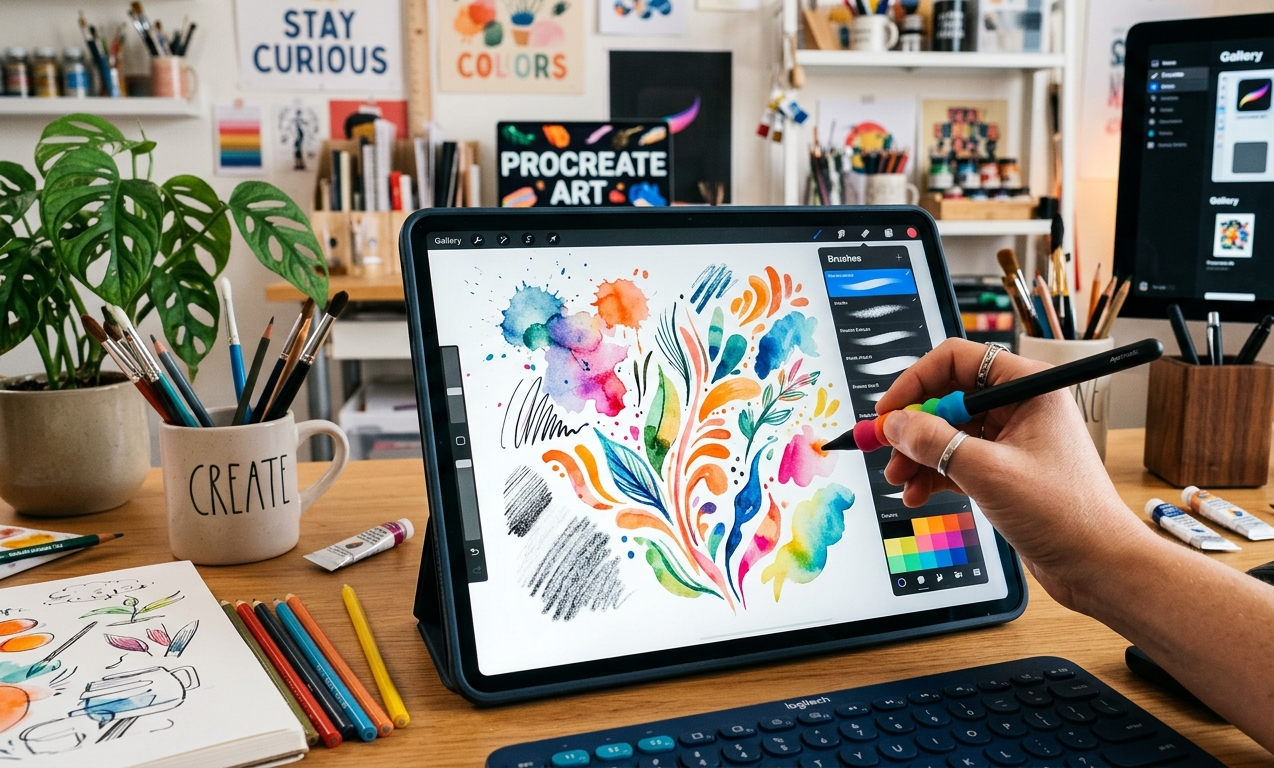
Digital art has grown rapidly over the last decade, and one of the most powerful tools used by modern illustrators is Procreate brushes. These brushes are specialized digital tools used inside the popular drawing application Procreate. Designed primarily for the Apple iPad, Procreate allows artists to paint, sketch, and design professional artwork using realistic digital brushes that mimic traditional materials such as pencil, ink, watercolor, and oil paint.
The popularity of Procreate brushes comes from their ability to replicate the natural behavior of real-world art tools while providing digital advantages like undo options, layer control, and brush customization. Artists can draw using a stylus such as the Apple Pencil, which detects pressure, tilt, and speed. This interaction allows strokes to feel natural and responsive, closely matching the experience of drawing on paper or canvas.
Today, Procreate brushes are widely used by illustrators, comic artists, tattoo designers, concept artists, and graphic designers. From simple sketch brushes to advanced texture brushes, these tools allow creators to produce high-quality artwork quickly and efficiently. Because of this flexibility and realism, Procreate has become one of the most influential digital art tools used by professionals and beginners alike.
Understanding How Procreate Brushes Work
Procreate brushes are built using a digital brush engine that simulates how traditional tools behave when applied to a surface. Each brush stroke is created using two key components: the shape source and the grain texture. The shape defines the overall stamp pattern of the brush, while the grain determines how the texture appears within each stroke. When an artist draws on the canvas, the app repeatedly stamps the brush shape along the stroke path while applying the grain texture to create depth and realism.
Another important factor in brush behavior is pressure sensitivity. When artists press harder with the Apple Pencil, the brush can become thicker, darker, or more opaque depending on its settings. If the stylus is tilted, some brushes create shading effects similar to drawing with the side of a pencil or charcoal stick. These responsive interactions help digital artists recreate natural drawing techniques inside the digital environment.
The Procreate brush engine also allows for dynamic effects that traditional tools cannot easily achieve. For example, brushes can automatically change color, adjust opacity, or scatter particles along a stroke. These advanced capabilities enable artists to produce complex textures, lighting effects, and stylized illustrations that would otherwise take much longer using traditional methods.
The Built-In Brush Library in Procreate
One of the reasons Procreate is so popular among digital artists is its extensive built-in brush library. When users open the brush panel inside Procreate, they gain access to dozens of brush sets organized into categories such as sketching, painting, airbrushing, textures, calligraphy, and artistic effects. Each set contains multiple brushes designed for specific drawing styles.
The default brushes included in Procreate are carefully designed by professional artists and developers. These brushes provide a strong foundation for beginners who want to explore digital art without downloading additional tools. For example, sketching brushes replicate graphite pencils, while inking brushes mimic traditional comic pens and ink markers.
Artists can easily preview each brush inside the library by viewing its stroke sample. This makes it easier to understand how the brush behaves before applying it to artwork. Over time, many artists create personalized brush libraries by organizing brushes into custom folders, duplicating favorite tools, or adjusting brush settings to match their artistic workflow.
Popular Types of Procreate Brushes
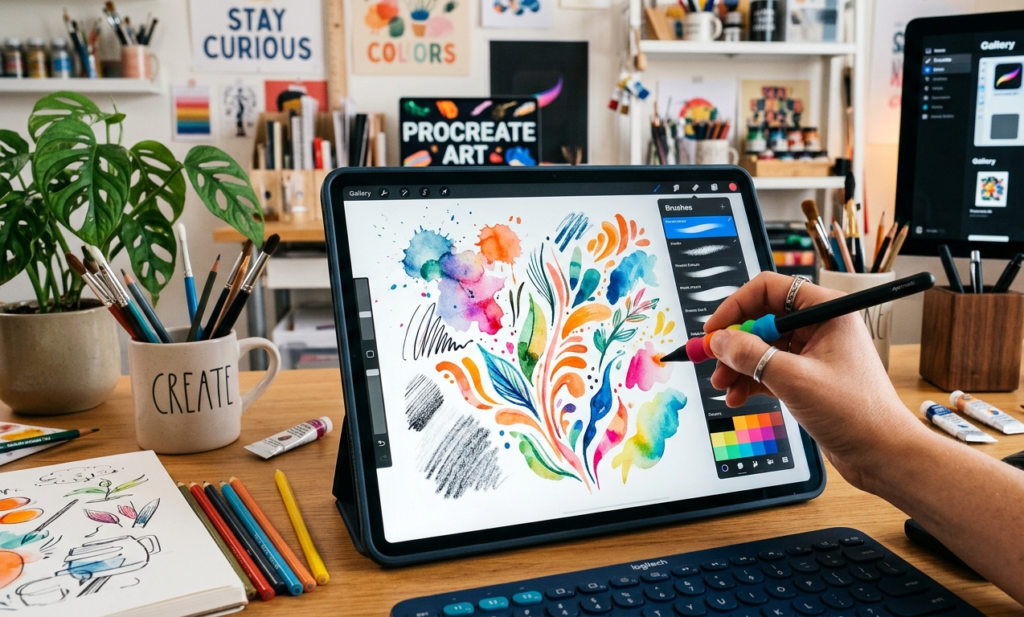
Different artistic styles require different types of brushes, and Procreate provides a wide range of tools designed for specific creative purposes. One of the most common categories is sketch brushes. These brushes simulate pencils, charcoal, or rough graphite textures and are often used for rough drafts, character sketches, and concept art.
Another widely used category is painting brushes. These tools replicate the behavior of traditional paint mediums such as watercolor, acrylic, and oil paint. By adjusting opacity and blending settings, artists can create layered paint strokes that look remarkably similar to traditional painting techniques. Many professional illustrators rely on these brushes to create detailed digital paintings and concept art for films and games.
Texture brushes are also extremely popular. These brushes allow artists to add complex surfaces such as fabric, clouds, foliage, stone, or grunge textures. Texture brushes help create depth and realism in digital artwork and are commonly used in environment design, game development, and fantasy illustrations.
Creating Custom Brushes with Brush Studio
One of the most powerful features of Procreate is its advanced brush customization system known as Brush Studio. This tool allows artists to modify existing brushes or create entirely new ones from scratch. Inside Brush Studio, users can control dozens of brush properties including stroke spacing, jitter, stabilization, grain movement, and opacity dynamics.
Artists often customize brushes to match their personal drawing style. For example, a comic artist might create an ink brush with strong line variation, while a concept artist might design a textured brush for painting landscapes. By adjusting brush settings carefully, artists can build tools that behave exactly the way they want.
Brush Studio also allows artists to import their own textures and shapes. This means a brush can be designed using custom patterns or scanned materials such as watercolor paper or ink splatters. As a result, artists can create unique brush effects that are completely original and tailored to their artistic needs.
Installing and Importing Procreate Brushes
Although Procreate includes many built-in brushes, artists often expand their toolset by downloading additional brush packs from online marketplaces or creative communities. These brush packs are typically created by professional illustrators and designers who share specialized tools for different artistic styles.
Installing new brushes in Procreate is a simple process. Users can import brush files directly from cloud storage, email attachments, or downloaded files. Once imported, the brushes appear automatically inside the brush library where they can be organized into custom brush sets.
Many artists collect hundreds of brushes over time, especially when experimenting with new styles such as watercolor illustration, lettering design, or concept art. However, it is important to manage these brushes carefully to avoid cluttering the library. Organizing brushes into themed groups helps maintain an efficient and productive workflow.
Best Practices for Using Procreate Brushes
Using Procreate brushes effectively requires more than simply selecting a tool and drawing. Experienced artists spend time experimenting with brush settings to understand how each brush reacts to pressure, speed, and tilt. This experimentation helps artists gain better control over their strokes and develop a smoother drawing technique.
Another important practice is keeping the brush library organized. When too many brushes accumulate, it becomes difficult to find the right tool quickly. Many professionals create custom brush sets for different tasks such as sketching, inking, painting, and texturing. This approach helps maintain a streamlined workflow during large illustration projects.
Consistency is also key to improving digital art skills. Many successful artists prefer using a small number of well-understood brushes instead of constantly switching between dozens of tools. By mastering a few reliable brushes, artists can achieve consistent results and develop a recognizable artistic style.
Advantages of Procreate Brushes for Digital Artists
Procreate brushes offer many advantages compared to traditional art tools. One of the most significant benefits is flexibility. Artists can instantly switch between different brush types without purchasing new materials. This makes it easier to experiment with new styles and techniques without additional costs.
Another major advantage is efficiency. Complex textures and painting effects can be created within seconds using the right brush settings. Instead of manually painting every detail, artists can rely on specialized brushes to generate realistic textures, foliage patterns, or lighting effects quickly.
Procreate also allows artists to work non-destructively using layers and undo functions. If a mistake occurs, it can be corrected immediately without damaging the rest of the artwork. This freedom encourages experimentation and creativity, making digital art more accessible and less intimidating for beginners.
Common Mistakes Beginners Make with Procreate Brushes
Many beginners believe that downloading hundreds of brushes will automatically improve their artwork. In reality, having too many brushes can create confusion and slow down the creative process. It is often more effective to focus on mastering a small group of brushes that work well for the artist’s style.
Another common mistake is ignoring brush settings. Procreate brushes are highly customizable, and small adjustments can dramatically change how a brush behaves. Beginners who explore Brush Studio and experiment with parameters such as stabilization or opacity often see significant improvements in their drawing quality.
Some artists also overlook the importance of canvas resolution. Brush performance can change depending on the size and resolution of the canvas. High-resolution canvases provide better detail but may affect performance on older devices. Understanding this balance helps artists maintain smooth drawing performance while achieving high-quality results.
The Future of Procreate Brushes and Digital Illustration
Digital art technology continues to evolve, and Procreate brushes are becoming more advanced each year. New brush engines and stylus technologies are improving the realism of digital painting, allowing artists to simulate complex materials like watercolor diffusion, oil paint blending, and textured ink strokes.
The digital art community surrounding Procreate has also grown significantly. Thousands of artists now create and sell custom brush packs, tutorials, and digital resources. This growing ecosystem allows beginners to learn new techniques quickly while giving professionals access to powerful tools designed by experienced illustrators.
As tablet hardware becomes more powerful and stylus technology continues to improve, Procreate brushes will likely become even more responsive and realistic. These developments will further blur the line between traditional and digital art, giving artists greater creative freedom and opening new possibilities for illustration, animation, and design.
READ MORE: NEWS BLOGS
