



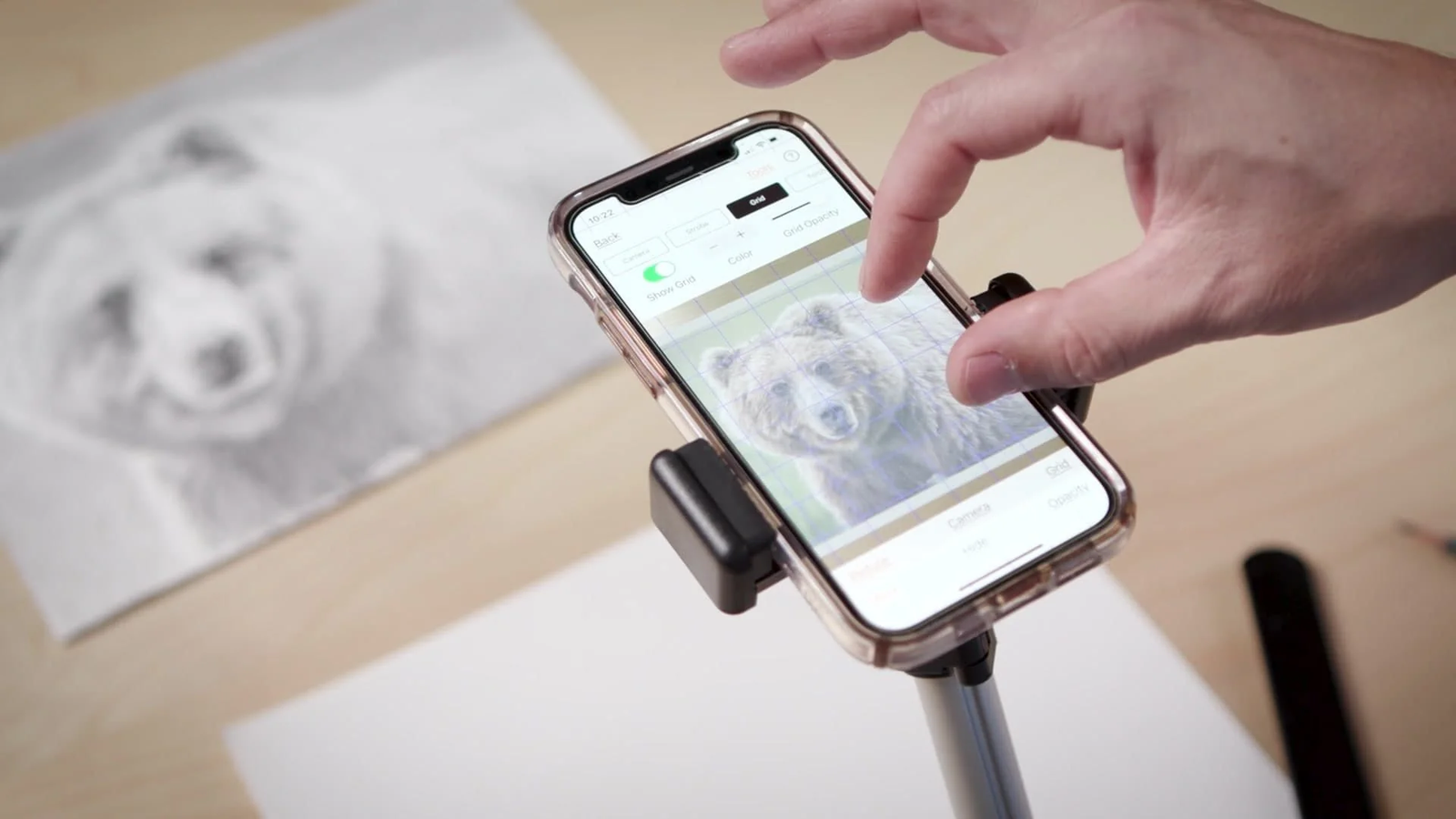
The camera lucida app has changed the way many artists approach drawing, sketching, and visual learning. Inspired by the traditional camera lucida optical device, these apps bring an old artistic technique into the modern digital world. By using smartphones or tablets, artists can view reference images while creating drawings, making it easier to understand proportions, shapes, and details.
The camera lucida app was created as an optical drawing aid that allowed artists to see their subject and drawing surface together. Today, camera lucida apps provide a similar experience through digital overlays, image transparency controls, and camera-based features. These tools are becoming popular among beginners, art students, hobby creators, and professional artists who want additional support during the drawing process.
A camera lucida app is not designed to replace artistic talent or creativity. Instead, it works as a learning assistant that helps users study visual information more effectively. When combined with regular practice, these apps can improve drawing confidence, accuracy, and understanding of artistic concepts.
What Is a Camera Lucida App?
A camera lucida app is a mobile application that recreates the function of a traditional camera lucida device using digital technology. The main purpose of the app is to help artists draw by displaying a reference image over their drawing area. This allows users to observe a subject while creating a sketch, similar to how artists used optical tools in the past.
Traditional camera lucida devices relied on mirrors and optical reflections, while modern apps use smartphone cameras, screen overlays, and image adjustments. Users can import a photo, place it on the screen, and modify its transparency to make the reference easier to follow. This technique can help artists understand important elements such as perspective, scale, and proportion.
The growing popularity of camera lucida apps comes from their convenience. Instead of purchasing specialized equipment, artists can use a device they already own. This makes the camera lucida method more accessible to people who want to improve their drawing skills without expensive tools.
How Does a Camera Lucida App Work?
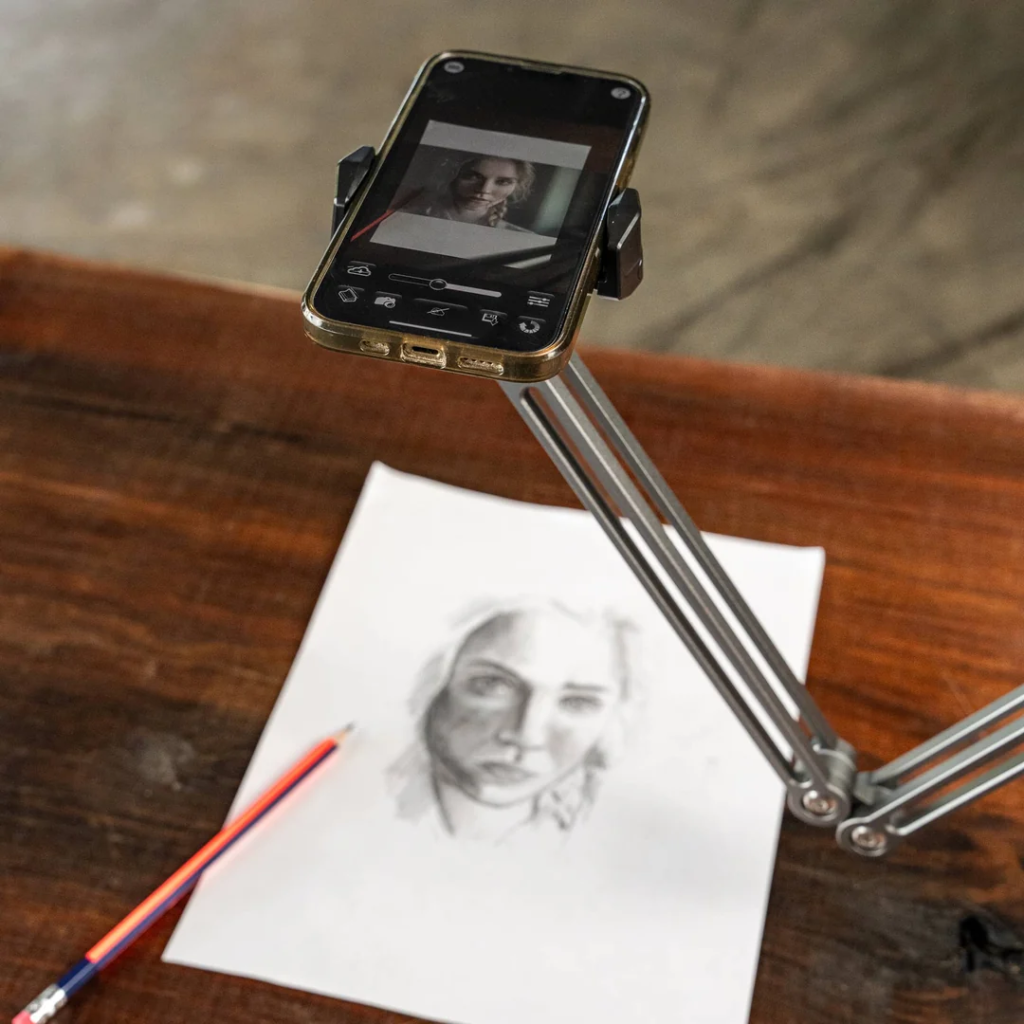
A camera lucida app works by combining a digital reference image with the live view from a smartphone or tablet camera. After selecting an image, users can adjust the position, size, and transparency until it matches their drawing surface. The artist can then sketch while observing the reference through the screen.
Many camera lucida apps include features that support accurate drawing. Image rotation, zoom controls, brightness adjustment, contrast settings, and grid guides can help users focus on specific details. These tools are especially useful when working on complex drawings such as portraits, realistic objects, and architectural sketches.
Although the app provides visual guidance, the artist still creates the artwork manually. The app does not automatically produce a finished drawing. Instead, it helps users develop hand-eye coordination and improve their ability to analyze shapes, lines, and visual relationships.
Main Features of a Camera Lucida App
A good camera lucida app usually includes features designed to make drawing easier and more effective. One of the most important features is image transparency control. By changing the opacity level, artists can decide how strongly the reference image appears while keeping their own drawing visible.
Reference image adjustment is another useful feature. Artists often need to resize, crop, rotate, or reposition an image before beginning a sketch. These options allow users to create a comfortable drawing setup that matches their preferred working style.
Some advanced camera lucida applications also include additional drawing tools such as perspective guides, alignment assistance, and grid overlays. These features can be helpful for students learning basic drawing principles and for experienced artists working on detailed projects.
Benefits of Using a Camera Lucida App for Drawing
One of the biggest advantages of a camera lucida app is improved drawing accuracy. Many beginners find it difficult to judge proportions and spacing correctly. A reference overlay provides guidance that helps users understand how different parts of an image connect with each other.
These apps are also useful for developing observation skills. Good drawing depends on carefully studying shapes, angles, shadows, and textures. A camera lucida app encourages artists to pay closer attention to these details instead of relying only on memory or imagination.
For art students, these applications can be valuable learning tools. Teachers and learners can use them to practice portrait drawing, object studies, and perspective exercises. By combining digital assistance with traditional practice, students can build stronger foundations in visual art.
Camera Lucida App for Portrait Drawing and Realistic Sketches
Portrait artists often use camera lucida apps because human faces require careful attention to detail. Small differences in facial proportions can affect the overall appearance of a portrait. By using a reference overlay, artists can study the placement of facial features and create more balanced sketches.
Realistic artists can also use these apps for drawing animals, objects, landscapes, and buildings. The ability to compare the reference image with the developing sketch helps users create more accurate outlines and structures.
However, realistic drawing is not only about copying what is visible. Successful artwork also requires creativity, emotion, and personal interpretation. A camera lucida app can provide technical support, but the artist’s skill and imagination remain the most important parts of the creative process.
Tips for Using a Camera Lucida App Effectively
To get better results from a camera lucida app, artists should create a comfortable working environment. Good lighting, a stable drawing surface, and correct device positioning can make the process smoother. Small adjustments to image transparency and alignment can also improve accuracy.
Artists should avoid using the app only as a tracing tool. The greatest benefit comes from understanding the reference image and learning why certain shapes, angles, and proportions appear the way they do. Regular practice can help users gradually rely less on digital guidance.
Combining camera lucida practice with traditional drawing exercises can lead to stronger artistic development. Studying perspective, anatomy, shading, and composition alongside app-based learning creates a more complete approach to improving drawing skills.
Choosing the Right Camera Lucida App
Choosing a suitable camera lucida app depends on personal needs, artistic goals, and device compatibility. Beginners may prefer simple applications with easy controls, while experienced artists may look for more advanced adjustment features.
Users should pay attention to app reliability, update frequency, ease of use, and privacy settings. Since these applications may require access to images and cameras, understanding permissions is important for protecting personal information.
A quality camera lucida app should provide helpful tools without making the creative process complicated. The best choice is an application that supports learning, encourages practice, and fits naturally into an artist’s workflow.
Future of Camera Lucida Apps in Digital Art
The future of camera lucida apps looks promising as mobile technology continues to improve. Developments in augmented reality, artificial intelligence, and image recognition may create more advanced drawing assistance features in the coming years.
Future versions of these apps may offer improved object tracking, automatic perspective support, and personalized learning guidance. These improvements could make artistic training more interactive and accessible for users around the world.
Even with technological progress, the core purpose of the camera lucida method will remain unchanged. It will continue helping artists observe carefully, understand visual structure, and develop stronger drawing abilities.
Conclusion: Should Artists Use a Camera Lucida App?
A camera lucida app is a useful digital tool for artists who want to improve drawing accuracy and develop better observation skills. By combining traditional artistic methods with modern technology, these applications make a classic drawing technique available to anyone with a smartphone or tablet.
Whether used by beginners learning basic sketches or experienced artists creating detailed artwork, a camera lucida app can provide valuable support. It helps users understand proportions, shapes, and perspective while allowing creativity and personal expression to remain central.
The true value of a camera lucida app comes from using it as a learning tool rather than a shortcut. With consistent practice and a commitment to improving artistic skills, these apps can become an effective companion for anyone interested in drawing and creative expression.
