



Understanding Instagram’s Privacy Settings
How To Hide Followers On Instagram is one of the most widely used social media platforms, with millions of users sharing photos, videos, and Stories daily. While the platform emphasizes sharing and connectivity, privacy concerns are rising. Many users want to know how to hide followers on Instagram to control who sees their connections. Instagram, however, does not currently allow you to completely hide your followers from everyone. The platform is designed to show followers and following lists to those who can access your account, which means understanding privacy settings is the first step toward limiting exposure.
Instagram’s primary privacy mechanism is the account type. Public accounts allow anyone to view followers and followings, while private accounts restrict visibility to approved followers. Even with a private account, people who are already following you can still see your followers list. Users need to rely on combinations of account settings, follower management, and platform tools to achieve maximum privacy.
Understanding these limitations is crucial because many third-party apps claim to hide followers, but these often violate Instagram policies or pose security risks. Being aware of what is officially possible helps users protect their accounts while managing follower visibility effectively.
Making Your Account Private
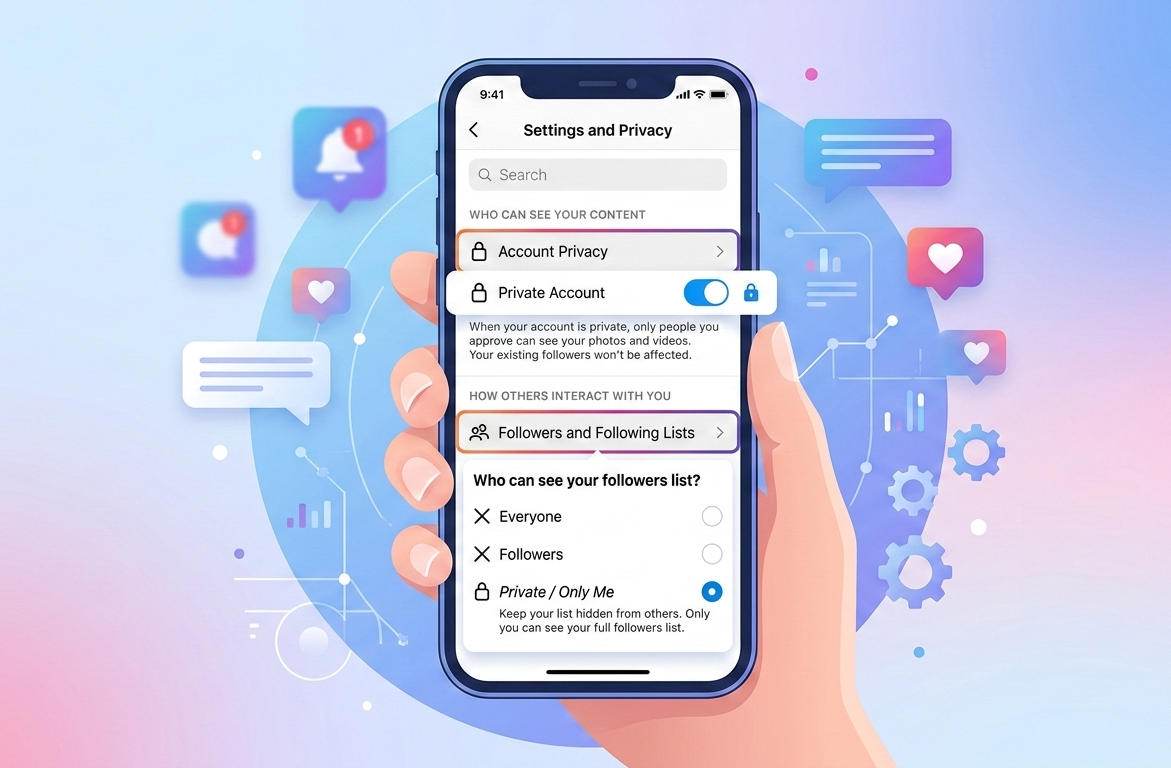
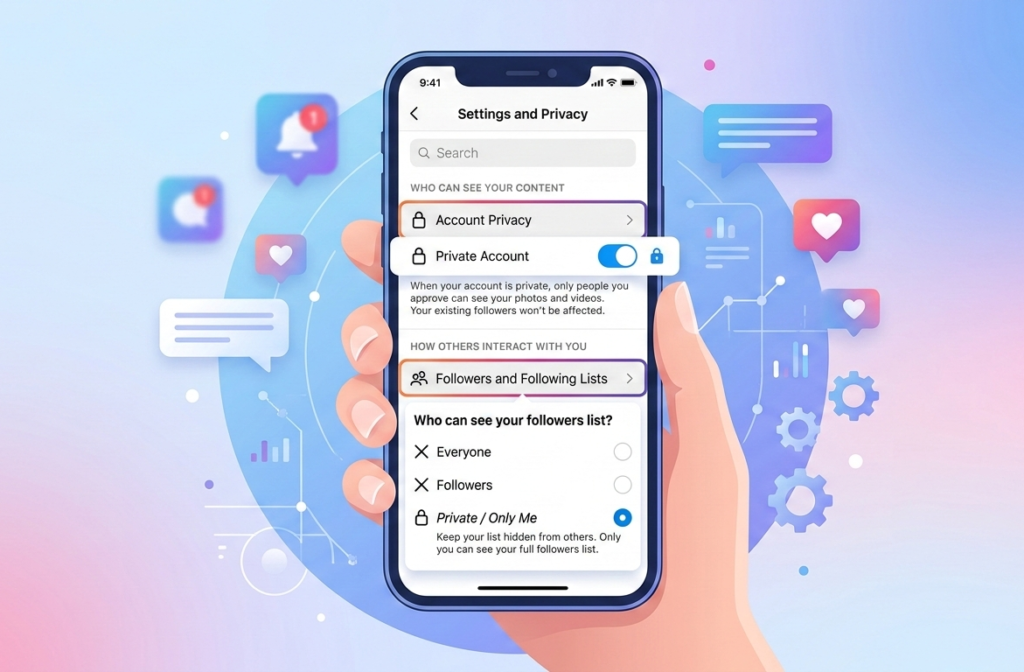
The most straightforward way to reduce the visibility of your followers is to make your Instagram account private. When your account is private, only users you approve as followers can see your posts, Stories, and followers list. This step does not hide your followers from people who already follow you, but it prevents strangers from accessing this information.
To make your account private, open Instagram, navigate to your profile, and tap the three lines in the top-right corner. Then select Settings & Privacy, choose Account Privacy, and toggle Private Account. Once activated, all future followers must request access to see your posts and followers, allowing you to approve or deny requests based on your comfort level. Making your account private is an essential first step in managing who sees your follower information.
Private accounts also provide a sense of control over interactions, ensuring that only a trusted group of users can engage with your content. While not a complete solution for hiding followers, it significantly enhances account privacy and security.
Removing Followers You Don’t Trust
For added privacy, Instagram allows users to remove followers. This feature is especially useful if your account is private and you want to prevent certain people from seeing your posts and connections. Removing a follower does not notify them, but they lose access to your content until they request to follow you again.
To remove a follower, go to your profile, tap Followers, locate the person, and select Remove. This action is discreet and can be done at any time to maintain control over who can view your activity. Regularly reviewing and managing your followers ensures that only people you trust have access to your profile, reducing potential privacy risks.
By selectively removing followers, users can maintain a more controlled and safer Instagram experience, ensuring that personal information and follower lists are not exposed to unintended viewers.
Using the Restrict Feature for Privacy
Instagram’s Restrict feature is another tool for managing visibility without fully blocking someone. Restricting limits a user’s interactions with your account, including comments and messages, without alerting them. Restricted users can still see your content if your account is public or if they follow you, but their activity is limited.
Restricted accounts have their comments hidden from others unless approved, and messages appear in a separate requests folder. This allows users to reduce unwanted interactions while maintaining minimal contact. While this does not hide your followers completely, it helps manage privacy in a subtle, less confrontational way compared to blocking.
The Restrict feature is useful for situations where blocking could cause social tension but where you still want to limit visibility and engagement from specific users.
Blocking Followers for Maximum Control
Blocking is the most effective method to hide your followers from certain users. Once someone is blocked, they cannot see your profile, posts, Stories, or your followers list. This is a complete removal of access and is often used when privacy concerns are high or if someone is harassing or stalking your account.
To block a user, visit their profile, tap the three-dot menu, and select Block. After blocking, the user is removed from your followers, cannot follow you again unless unblocked, and loses access to your account entirely. This tool ensures that sensitive information, including your followers list, is inaccessible to unwanted users.
Although blocking is effective, it is a strong measure and should be used selectively. Unlike restricting or removing, blocking sends a clear signal that the user is no longer allowed to interact with your account.
Leveraging Close Friends for Stories
While the above methods control your followers list visibility, Instagram also allows you to limit Story visibility using the Close Friends feature. This feature enables you to share Stories with a selected group without exposing them to all your followers, providing a layer of privacy even if your account is public.
To use Close Friends, go to your profile, tap the menu, select Close Friends, and add trusted followers. When posting a Story, choose the Close Friends option instead of sharing it with everyone. This feature ensures that only selected people can interact with specific content, giving users additional control over their social interactions and information sharing.
Though this doesn’t hide your followers list directly, it effectively restricts content exposure, which is often the primary reason users want to hide follower information.
Understanding Instagram’s Limitations
It is essential to understand that Instagram does not offer a complete way to hide followers from approved followers. Even with private accounts, approved followers can still see your followers and following lists. Public accounts display follower information to anyone visiting the profile, making complete privacy impossible without removing or blocking users.
Rumors of hidden follower features or third-party apps that promise this capability are misleading. Users must exercise caution because these apps often violate Instagram’s terms of service or pose security risks. Understanding platform limitations allows users to make informed choices about privacy without relying on unreliable solutions.
Knowing these boundaries also encourages users to explore legitimate privacy strategies, such as account management and interaction control, rather than chasing impossible solutions.
Balancing Privacy and Social Engagement
While complete hiding of followers is not currently possible, users can balance privacy with engagement through careful account management. Making your account private, removing unwanted followers, restricting specific users, and using Close Friends are effective strategies to maintain privacy while continuing to enjoy social interaction on Instagram.
Balancing privacy with engagement ensures a safe experience while retaining the social benefits of the platform. Users who manage followers proactively experience less stress and have greater control over who sees their content and connections.
Ultimately, the goal is to enjoy Instagram’s social features without compromising personal privacy or exposing sensitive information. With the right combination of settings and follower management, users can achieve a high level of control over their Instagram presence.
READ MORE: NEWS BLOGS
