



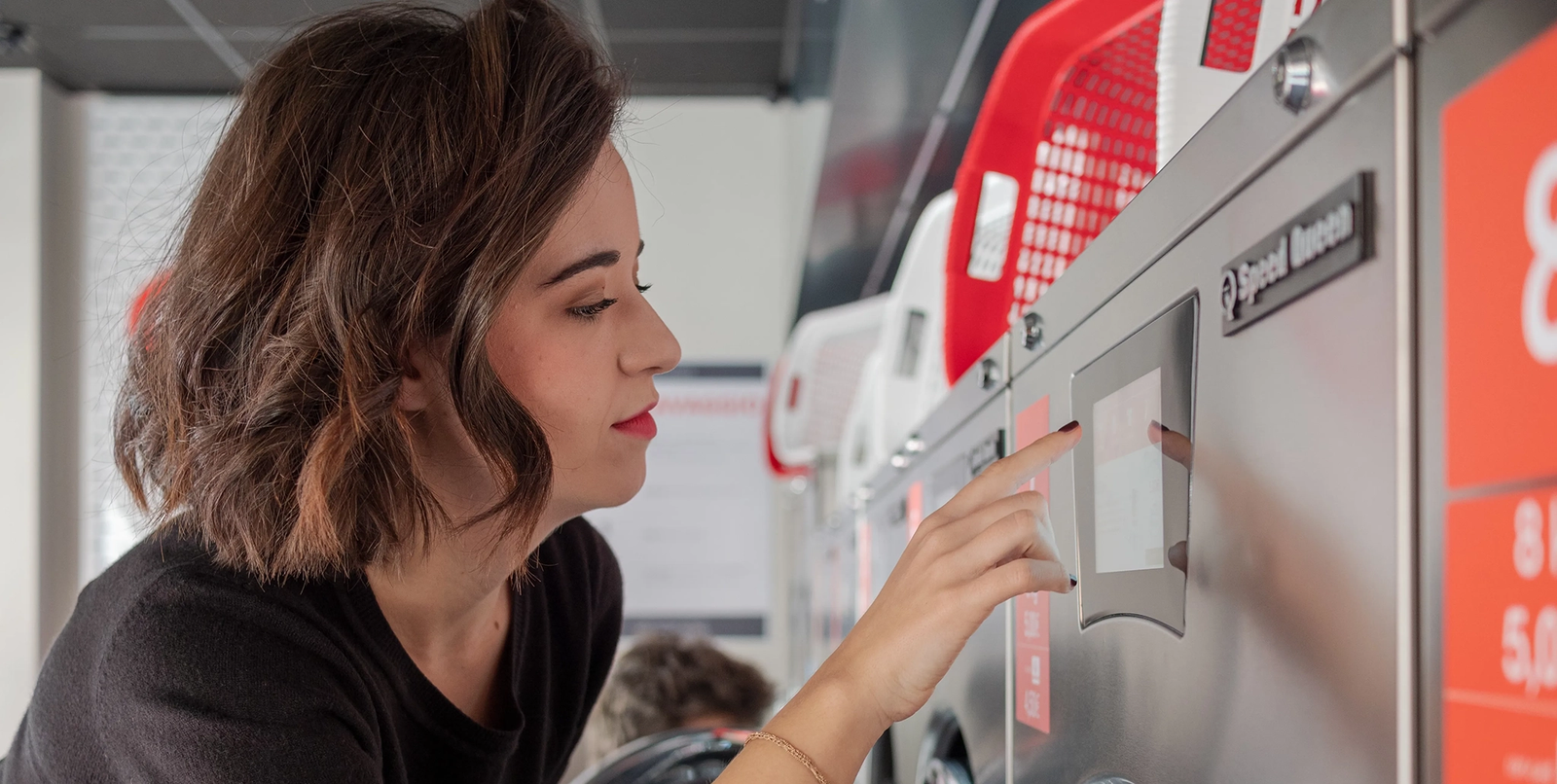
The Speed Queen app is a mobile laundry application designed to make using participating laundromats easier and more convenient. Instead of carrying coins or repeatedly checking whether a washer or dryer is available, customers can use their smartphone to select a laundry location, view available machines, make payments, and monitor laundry cycles. The app is developed by Alliance Laundry Systems, the company behind Speed Queen commercial laundry equipment.
The Speed Queen app is mainly intended for participating commercial laundry facilities, so it is important to understand how the service works before downloading it. It does not automatically connect to every Speed Queen washer and dryer, especially residential appliances installed in private homes. The features available to customers can depend on the laundromat, connected equipment, and payment system being used.
What Is the Speed Queen App?
The Speed Queen app is a customer-focused laundry application that allows users to pay for compatible washers and dryers directly from their phones. Instead of searching for quarters before starting laundry, users can select their location, choose an available machine, and complete payment through the application. The app is designed to make the laundry process faster and more convenient for people who regularly use participating facilities.
The application can also provide information about machine availability and laundry-cycle progress. This makes it useful beyond simple mobile payment. A customer may be able to check whether machines are available before starting a laundry trip and receive an alert when a cycle is nearly finished. However, these features depend on whether the individual laundry location supports the required Speed Queen technology.
How the Speed Queen App Works
Getting started with the Speed Queen app normally involves downloading the official application to a compatible smartphone and creating or accessing an account. After opening the app, users can select a participating laundry location. The available machines and payment options are then displayed according to the system installed at that location.
Once the correct location has been selected, customers can choose their washer or dryer and follow the instructions shown on the screen. Payment is completed through the application, after which the selected machine can be started according to the facility’s setup. Users should always confirm the machine number before paying because choosing the wrong machine can cause unnecessary problems.
Speed Queen App Mobile Payment
Mobile payment is one of the main reasons customers use the Speed Queen app. Traditional laundromats often require quarters, which means customers may need to carry a large amount of change or use a change machine before washing clothes. The Speed Queen app provides a digital alternative by allowing users to pay for compatible machines from their phones.
The exact payment process and available funding methods can vary by location. Users should check their account balance and payment details before beginning a wash or dry cycle. If a payment appears to fail, it is wise to check the machine status and transaction information before repeatedly pressing the payment button. Repeated attempts can potentially create confusion if the original transaction is still being processed.
Finding Speed Queen Laundry Locations
The Speed Queen app can help customers find participating laundry locations and view information about machines available at those facilities. This can be particularly useful for people who want to use mobile laundry payment rather than visiting a coin-only laundromat. Selecting the correct location is an important part of setting up the app because connected machines are associated with specific laundry facilities.
Machine availability can also make planning a laundry trip easier. If the application shows washers or dryers as available, customers can use that information when deciding when to visit. Availability can change quickly, however, because another customer may start a cycle before you arrive. A machine displayed as available should therefore be treated as current information rather than a guarantee.
Speed Queen App Laundry Notifications
Laundry notifications can make the Speed Queen app more useful for busy customers. When supported by the laundromat’s system, the application can provide information about the progress of a laundry cycle and notify users when their clothes are nearly finished. This means customers may not have to sit beside a washer or dryer for the entire cycle.
Notifications depend on several factors, including the app’s settings, the phone’s notification permissions, the internet connection, and the equipment installed at the laundry facility. If you are not receiving alerts, check the notification settings on your phone and make sure the Speed Queen application is permitted to send notifications. Keeping the app updated can also help maintain reliable performance.
Speed Queen App Compatibility and Updates
The Speed Queen app is available for compatible Android and iPhone devices. The current iPhone version requires iOS 16.6 or later, so users with older Apple devices should check their operating system before attempting installation. Mobile application requirements can change as new versions are released, making it important to check the current requirements rather than relying on outdated information.
Regular updates can improve the app’s performance and compatibility. If the Speed Queen app starts crashing, freezing, failing to load, or displaying incorrect information, check your device’s app store for an available update. It is best to download the official Speed Queen application through a trusted application store rather than installing an unofficial APK or modified version from an unfamiliar website.
Speed Queen App Not Working
Several issues can cause the Speed Queen app to stop working correctly. A weak internet connection, outdated software, account problem, unavailable machine, incorrect location, or temporary communication issue can prevent the app from completing a transaction. Sometimes the application itself is functioning normally while a particular laundromat’s equipment or network is temporarily unavailable.
If the app becomes frozen, close it completely and open it again. Check your internet connection and make sure the application is updated. Restarting your smartphone can also clear temporary software problems. If these steps do not help, reinstalling the application may resolve corrupted local files, but make sure you know your login information before deleting the app.
Speed Queen App Balance and Account Issues
Account and balance problems can be confusing because the app’s available funds may be associated with a particular laundry location. Some users have reported that balances can appear differently when switching between locations, which is an important consideration for people who frequently travel or use multiple laundromats. Customers should check the balance displayed for the selected location before starting a laundry cycle.
If the app does not recognize your account, first confirm that you are using the correct login information. Avoid creating multiple accounts unless the laundry provider specifically tells you to do so. If money appears to have been deducted without a machine starting, keep the transaction information and contact the appropriate support channel rather than repeatedly attempting another payment.
Speed Queen App Privacy and Security
Because the Speed Queen app can handle account and payment information, users should take normal precautions when using it. Information associated with the application can include contact details, identifiers, payment-related information, usage information, and diagnostic data, depending on the platform and features being used. Customers should review the current privacy information provided with the application before entering personal or financial details.
Account security is also important. Use a strong password and avoid sharing your account credentials with other people. Keep your smartphone protected with a passcode or another appropriate security method, especially if payment information is stored or used through the device. Downloading the official app from a recognized application store is another simple way to reduce the risk of installing an unsafe or modified application.
Speed Queen App vs. Speed Queen Insights
The Speed Queen customer app should not be confused with Speed Queen Insights. Both are associated with the Speed Queen commercial laundry ecosystem, but they serve different purposes. The regular Speed Queen app is designed for customers who use participating laundromats and focuses on mobile payment, machine availability, and laundry-cycle information.
Speed Queen Insights is designed for laundry owners and operators rather than ordinary customers. It provides business-focused functionality for monitoring laundry equipment and managing commercial laundry operations. If you simply need to pay for a washer or dryer at a participating laundromat, the customer Speed Queen app is the relevant application.
Is the Speed Queen App Worth Using?
For people who regularly use participating Speed Queen laundromats, the app can be a convenient alternative to traditional coin payment. Being able to pay from a smartphone can make laundry trips easier, while machine availability information can help customers plan their visits. Cycle notifications can also save time by reducing the need to remain inside the laundromat throughout every wash and dry cycle.
The experience can vary between locations because individual laundromats may use different equipment configurations and payment systems. Internet problems, machine communication issues, or application errors can also occasionally interfere with mobile payments. For the best experience, users should confirm the location, machine number, payment amount, and machine status before starting each cycle.
Conclusion
The Speed Queen app provides a convenient way for customers at participating laundromats to manage important parts of the laundry process from a smartphone. It can support mobile payments, machine availability, laundry-cycle information, and notifications, reducing the need for coins and making it easier to plan laundry time.
The app is most useful when the laundromat has compatible Speed Queen commercial equipment and fully supports its connected features. Users should download the official application, keep it updated, protect their account information, and check their selected location and machine before making a payment. When problems occur, checking the internet connection, restarting the app, confirming account details, and reviewing the transaction before trying another payment can help prevent unnecessary issues.
